0498 70 98 60
Google Business Profile Primary Category: The Setting That Decides Where You Show Up
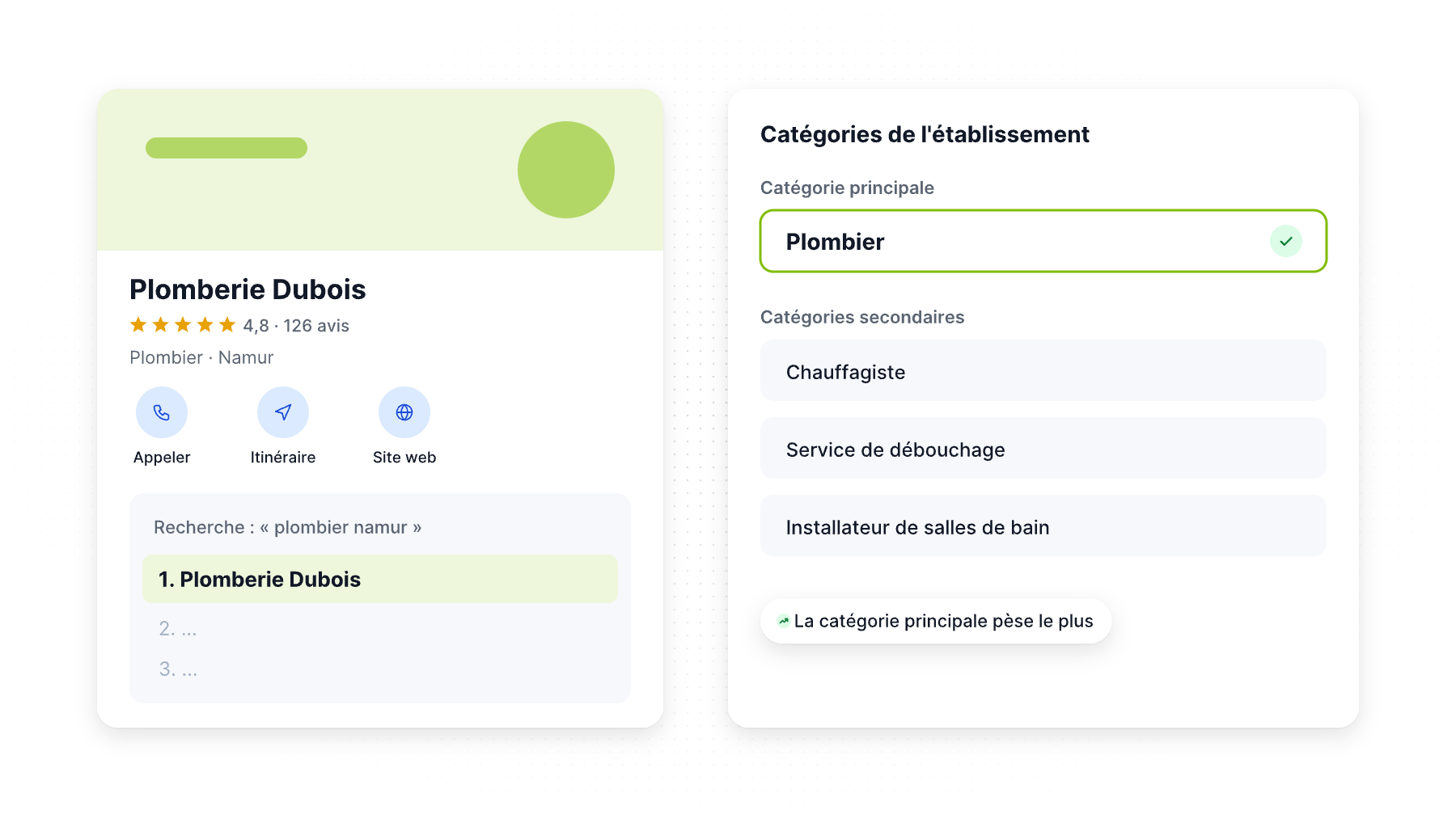
Of all the fields in your Google Business Profile, one does more work than the rest: the primary category. It tells Google what your business is, which searches you’re relevant for, and even which services and features your profile can display.
Choose “Contractor” when you should be “Roofing contractor,” and you may be invisible for the searches that pay your bills. This guide explains how the Google Business Profile primary category works, how to choose it, how to use additional categories, and the mistakes that can put your profile at risk.
Why the Google Business Profile primary category matters so much
Google says local results are based mainly on three factors: relevance, distance and prominence. Relevance describes how well a Business Profile matches what someone is searching for. Your category is one of the clearest relevance signals you control.
Local SEO practitioners agree. In Whitespark’s 2026 Local Search Ranking Factors survey (47 local search experts, published November 2025), the primary GBP category ranks as the #1 factor for the local pack and Google Maps. It comes ahead of the searcher’s proximity and keywords in the business title. Additional GBP categories rank #8.
Your primary category also controls:
- Which services Google suggests in your Services section
- Which attributes and features are available (booking buttons, menus, product sections and more, depending on the category)
- How Google describes you to searchers under your business name
How to choose your primary category
Google’s guidelines fit in a few lines. Use as few categories as possible to describe your core business. Choose categories that are specific but still representative of your main business. And describe what your business is, not what it has.
Step 1: List the searches that bring your best customers
Start with the money, not the label. A personal injury law firm makes most of its revenue from accident cases, not from wills. An HVAC company may earn more from AC installation than from furnace repair. Write down the three to five services your best customers buy.
Step 2: Find the most specific matching category
Google has a long list of predefined categories, and you can’t create your own. Type candidate terms into the category field and compare the suggestions. Prefer the specific option:
| Too broad | More specific (if accurate) |
|---|---|
| Lawyer / Law firm | Personal injury attorney, Family law attorney |
| Contractor | Roofing contractor, Kitchen remodeler |
| Doctor | Pediatrician, Dermatologist |
| Restaurant | Mexican restaurant, Pizza restaurant |
| Dentist | Cosmetic dentist, Pediatric dentist (if your practice really is one) |
Whitespark gives the same advice: pick the primary category that matches the term you most want to rank for, for example “injury lawyer” rather than “law firm.”
Step 3: Check what your top competitors use
Search your main keyword in Google Maps and look at the businesses in the top three. Their category appears under their name. Third-party tools (such as Whitespark’s competitor category report or browser extensions like GMB Everywhere) show both primary and secondary categories. If all the leaders share a category you don’t use, find out why.
Step 4: Make sure the category matches reality
Your category must match what customers see when they arrive or call: your signage, your website, your licenses. A category chosen only as a keyword can be removed by Google and, combined with other issues, contribute to a suspension (see our guide on suspended Google Business Profiles).
Additional categories: how many and which ones
You can add up to 9 additional categories. That doesn’t mean you should use all nine. Google’s guidelines ask you to use as few categories as possible.
Good additional categories:
- Describe a significant, separate line of business (a plumber who also does water heater installation and drain cleaning)
- Match services customers search for by name
- Are services you actively provide and promote on your website
Bad additional categories:
- Services you offer once a year
- Categories describing amenities (“Wi-Fi,” “parking”)
- Categories for neighboring industries you’d like to rank for but don’t serve
Should you change your primary category?
Sometimes, yes. Common reasons:
- Google added a more specific category that fits you better. Whitespark recommends checking for new categories every six months.
- Your business model changed (e.g., a general contractor now focused on kitchen remodeling).
- You chose a generic category when you first created the profile.
Some local SEOs also switch the primary category seasonally, such as “Air conditioning contractor” in summer and “Heating contractor” in winter for HVAC companies. If you test this, change one thing at a time, note the date and watch your Performance data. Our guide to Google Business Profile insights shows what to measure.
Before changing a category, keep in mind:
- Some changes may trigger a re-verification request.
- Services linked to the old category may disappear and need to be re-added.
- Approved edits can take some time to appear.
Align your website with your category
Your profile and your website should tell the same story. If your primary category is “Roofing contractor”:
- The page your profile links to should clearly be about roofing, with your city in the title and headings.
- Each important additional category deserves its own service page.
- Your LocalBusiness schema markup can use a matching Schema.org type when one exists (for example, RoofingContractor).
- Citations on Yelp, Bing Places and Apple Business should use consistent categories (see our NAP consistency guide).
A quick example
Take a family-owned HVAC company in Phoenix that earns most of its revenue from air conditioning installation and repair, with a smaller furnace business in winter. A sensible setup:
- Primary category: Air conditioning contractor
- Additional categories: HVAC contractor, Heating contractor, Air duct cleaning service (only if the company really offers it)
- Website: one strong page per category, linked from the profile and from each other
The company doesn’t add “Plumber” because a technician occasionally fixes a water line, and it doesn’t add “Electrician” to catch more searches. Each category it keeps matches a service it sells, promotes and can prove.
Common category mistakes
- Choosing the broadest category because it seems to cover everything.
- Using all nine additional categories for marginal services.
- Picking a category for a keyword you don’t actually serve.
- Never revisiting categories after creating the profile.
- Different categories on different locations of the same business without a reason.
Get your categories right
Référenceur audits Google Business Profile categories against your revenue, competitors and website, then builds the service pages that support them. It’s a core part of our local SEO services. Contact us for a free profile review.
FAQ
What is the primary category on Google Business Profile?
It’s the main category describing what your business is, such as “Roofing contractor” or “Pediatric dentist.” It’s one of the strongest relevance signals Google uses to match your profile to local searches.
How many categories can I add to my Google Business Profile?
One primary category plus up to nine additional categories. Google recommends using as few as possible to describe your core business.
Can I create a custom category?
No. You must choose from Google’s predefined list. If no exact match exists, pick the most specific category that accurately describes your main business.
Will changing my primary category hurt my rankings?
It can change the searches you appear for, positively or negatively. Change it only for a clear reason, document the date and monitor your Performance report afterward.
Do categories affect what appears in AI search?
Categories help Google understand what your business is, and that information feeds Maps and Google’s AI experiences. See our guide to Google Business Profile and AI search.
Not sure your categories match your best services? Contact Référenceur for a category review.