0498 70 98 60
Building or Redesigning a Website: Speed, UX, SEO, AI and Migration
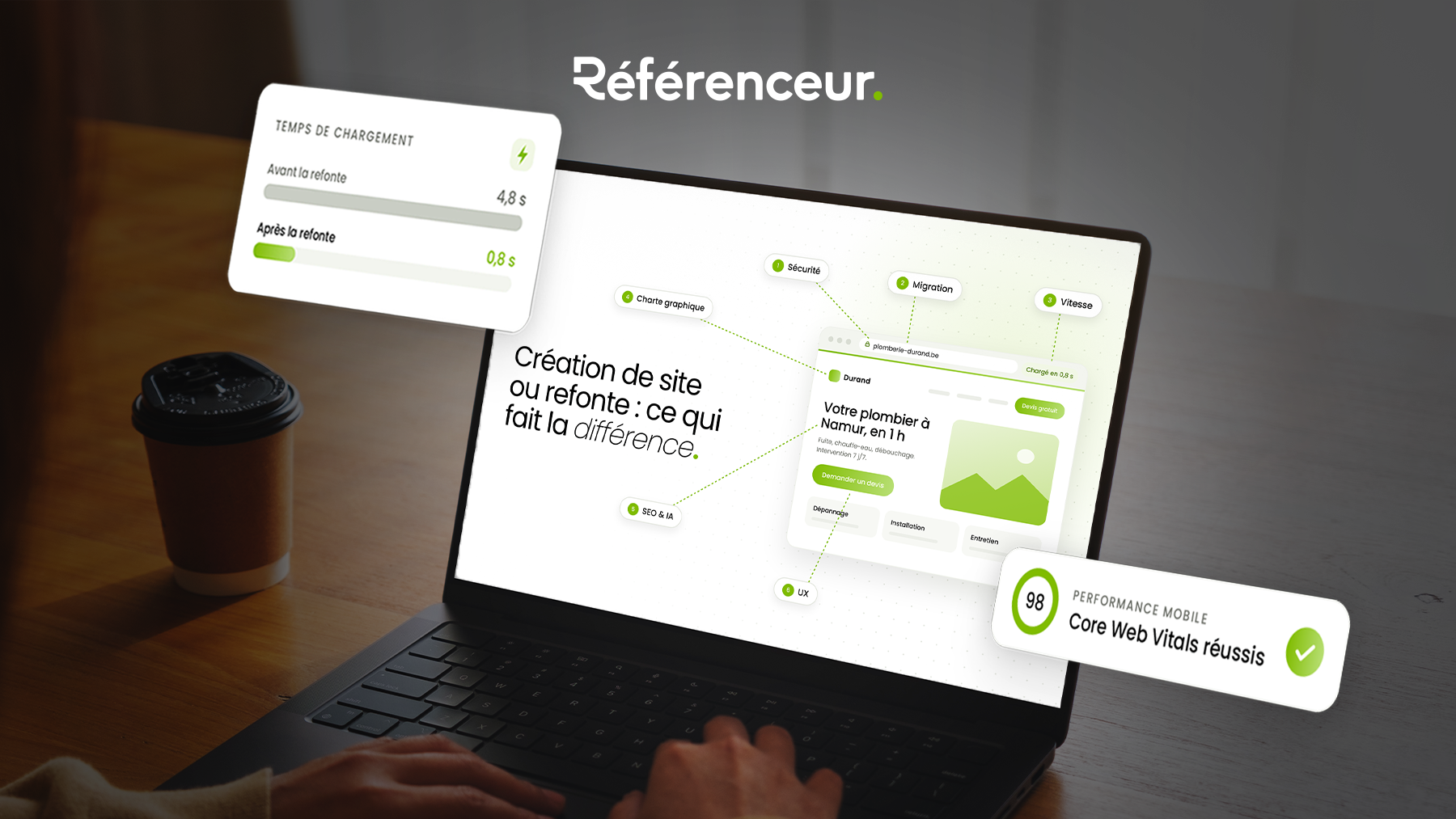
Whether you’re building your first website or redesigning the one you have, the temptation is the same: “make it look good.” But a successful web project is won or lost elsewhere: in the first few seconds of loading, in how well you understand your visitors, in consistency with your brand, in your visibility on Google and AI tools, and, for a redesign, in the migration from the old site to the new one. That is exactly the moment when a website can lose, in just a few days, the traffic it took years to build.
The data published by Google is clear: according to the “Milliseconds Make Millions” study conducted by 55 and Deloitte for Google, shaving 0.1 second off mobile site speed increased conversions by 8.4% in retail and 10.1% in travel. And yet, according to the Web Almanac 2024 (Chrome UX Report data), only 43% of mobile sites have good Core Web Vitals. Here is what a website build or redesign really needs to cover, with Google’s official sources and thresholds.
The essentials in 30 seconds
- Speed: aim for an LCP ≤ 2.5 s, an INP ≤ 200 ms and a CLS ≤ 0.1, measured across 75% of real visits.
- Needs and UX: a website project starts with your goals and your visitors’ behavior, not with a mockup.
- SEO and AI: a page must be indexed first; clean markup and structured data that matches the content then help Google and AI tools understand it and cite it.
- Migration (redesign): every old URL 301-redirected to its new address, with redirects kept in place for at least a year.
1. Speed: every tenth of a second counts
Before reading a single word, your visitor waits. And that wait has a cost you can measure. The studies published by Google make it clear: speed isn’t a technical detail, it’s a business driver.
| Study (source: Google) | Improvement | Measured impact |
|---|---|---|
| 55 / Deloitte – 37 brands, 30 million sessions | −0.1 s across 4 mobile speed metrics | +8.4% conversions (retail), +10.1% (travel), +21.6% users reaching the form (lead generation) |
| Vodafone – A/B test | LCP improved by 31% | +8% sales, +15% leads per visit, +11% cart visits |
| redBus – responsiveness (INP) | INP cut from about 900 ms to 360 ms on the results page | about +7% sales |
The takeaway is simple: a quote request form that loads faster is a form that gets filled out more often.
The official thresholds to aim for: Core Web Vitals
Google measures your visitors’ real-world experience with three metrics, the Core Web Vitals. A site is rated “good” when 75% of page views meet the threshold.
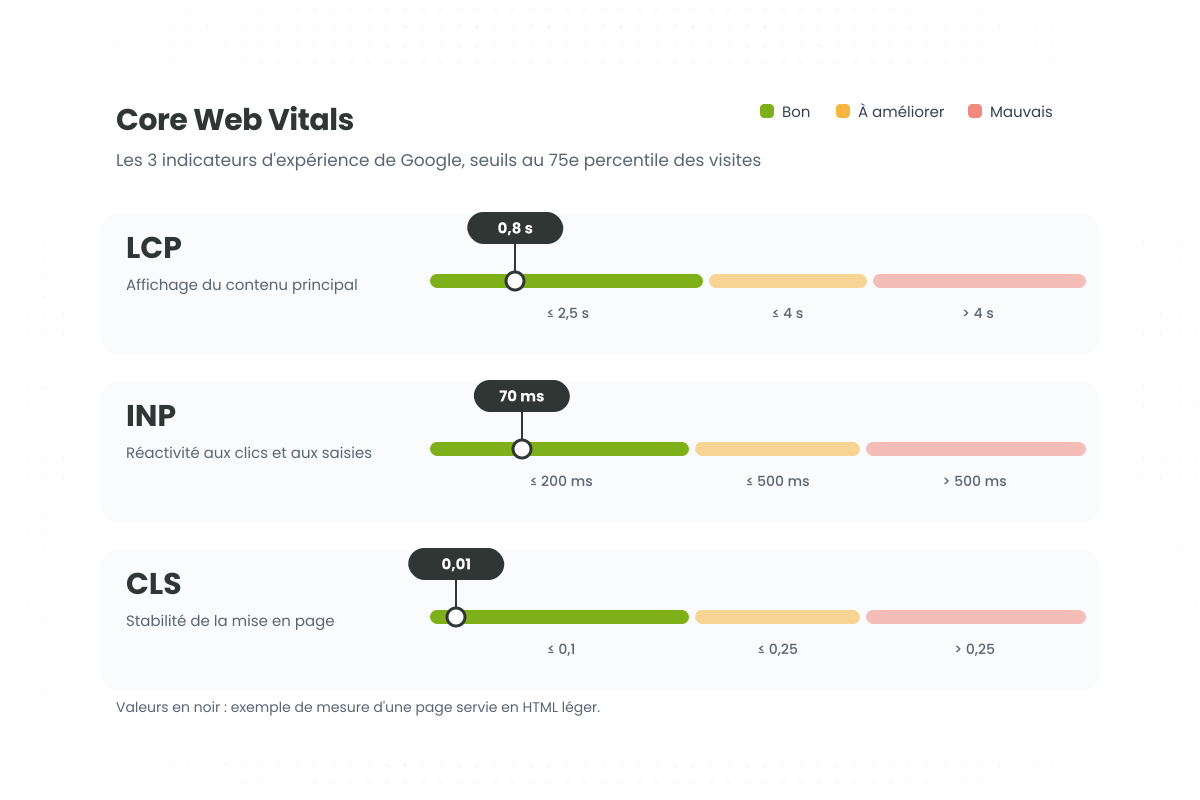
| Metric | What it measures | Good | Poor |
|---|---|---|---|
| LCP (Largest Contentful Paint) | Main content loading | ≤ 2.5 s | > 4 s |
| INP (Interaction to Next Paint) | Responsiveness to clicks and typing | ≤ 200 ms | > 500 ms |
| CLS (Cumulative Layout Shift) | Layout stability | ≤ 0.1 | > 0.25 |
Google spells it out in its Search Central documentation: it strongly recommends achieving good Core Web Vitals, because they align with what its ranking systems seek to reward.
Where do most websites stand?
According to the Web Almanac 2024, based on real-world Chrome user data, only 43% of sites pass all three Core Web Vitals on mobile, compared with 54% on desktop. The weak spot is still main content loading: barely 59% of mobile sites have an LCP under 2.5 s, while layout stability is good for 79% of them.
In other words, a fast website is still a real competitive advantage. That’s exactly why we created our ultra-fast website service: pages generated in HTML, with no database or plugins, scoring 99 to 100/100 on mobile in PageSpeed Insights on our latest projects. If your current site is slow, our slow WordPress site page covers the most common causes.
2. Needs analysis: everything starts with your goals, not a mockup
The usual reflex is to start with the visual design. You should do the opposite. Before a single screen is designed, you need to know the main action you want visitors to take (call, request a quote, book, buy) and the questions your customers ask before contacting you, because each one deserves a clear answer on your site.
You also need to decide who will update the site day to day, with how much autonomy, and which metrics will define success: quote requests, calls, rankings, load times. For a redesign, Search Console and your analytics tool also reveal the pages that already perform: they should be kept or improved, never deleted lightly. We cover this scoping phase, along with legal requirements, in our guide the 7 pillars of a high-performing website.
3. UX analysis: understanding how your visitors actually use your site
User experience (UX) isn’t something you decree; it’s something you observe. Before designing pages, we study real user journeys, on your existing site or on your competitors’ sites: where visitors come in, where they hesitate, at which step they drop off. We check that your message is understood within seconds, that buttons and forms are comfortable to use on a smartphone, and that the site stays accessible: color contrast, alt text, keyboard navigation.
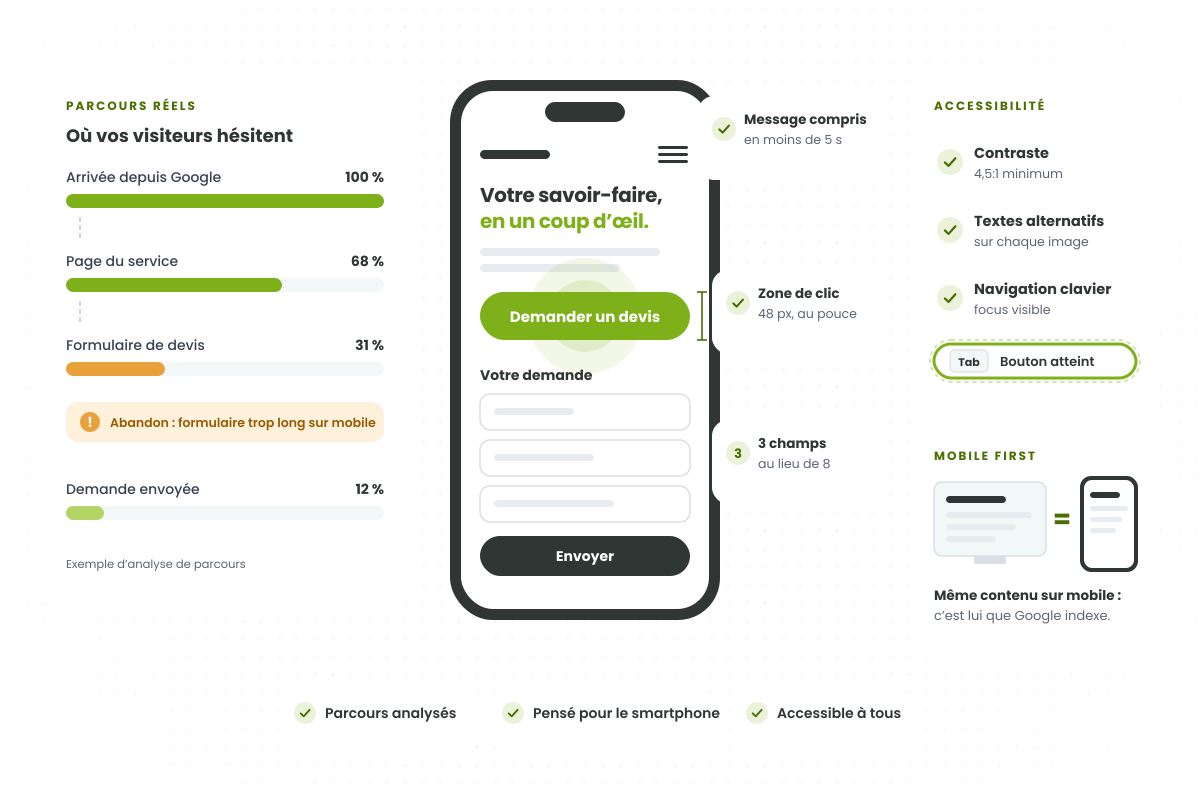
Mobile isn’t optional: Google uses the mobile version of your site for indexing and ranking, and requires it to contain the same content as the desktop version. Hiding text on mobile to “lighten” the page can therefore cost you traffic.
4. Brand guidelines: brand consistency and performance, together
Your website is often the first point of contact with your brand. It needs to follow your brand guidelines (logo, colors, fonts, tone of voice) while staying fast, and the two are perfectly compatible. A logo and icons in SVG stay sharp on every screen at a tiny file size. Fonts limited to the weights you actually use display without blocking text. Images in WebP or AVIF, sized for the screen displaying them, often slash page weight. And a component system of reusable elements ensures every new page stays consistent, with enough contrast for readability.
Brand guidelines applied rigorously build trust. Brand guidelines applied at the cost of multi-megabyte images drive visitors away before they even see the design.
5. SEO and AI optimization, built in from the start
SEO isn’t something you add after launch: it’s built into the site’s architecture. That means a clear site structure, with one page per service or search intent, readable URLs, and internal linking that guides visitors and crawlers to your key pages. Above all, your content has to genuinely answer your customers’ questions: as Google reminds us in its guidance on helpful content, content should be created for people first, and among the E-E-A-T criteria, trust is the most important.
Markup: what helps Google and AI tools understand your content
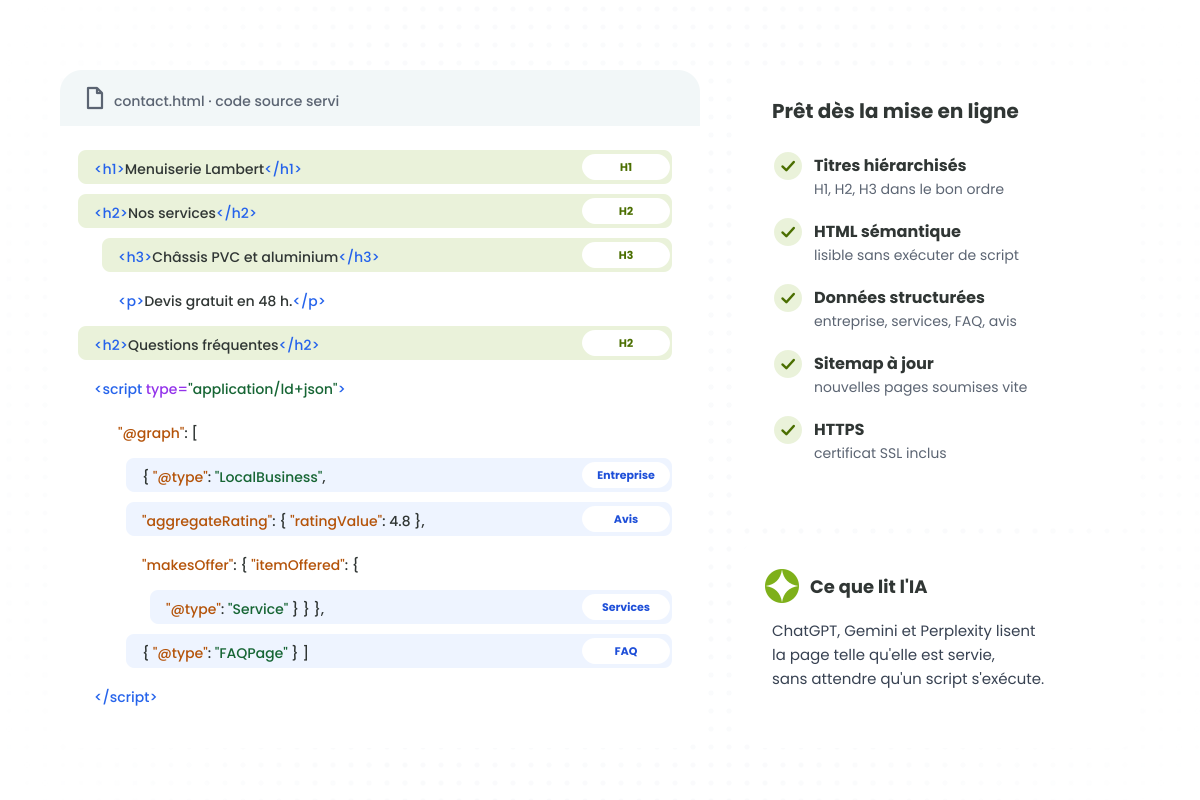
For AI Overviews and AI Mode, Google’s official documentation sets a baseline requirement: a page must be indexed and eligible to be shown with a snippet in Search. There’s no magic “AI” tag: what matters is solid SEO fundamentals, and markup is very much part of them.
Semantic HTML, with a single H1, logical H2s and H3s, and real lists and tables, makes the structure of every page machine-readable. Structured data goes further: it explicitly describes your business, your services, your reviews or your FAQs, so search engines and AI tools can identify exactly who you are and what each page contains. Google insists on one point: this data must match the visible content.
Finally, Google recommends allowing crawling (in your robots.txt, but also at your hosting provider or CDN), keeping important content in text form, taking care of page experience and monitoring your site in Search Console. A fast site with clean markup that’s readable as HTML naturally checks all these boxes. To go further, explore our SEO services and our GEO (visibility in AI search) expertise. And if AI crawlers can’t read your site, our blocked AI crawlers page helps you check.
6. Migration: where a redesign can lose everything (and where a new website is prepared for launch)
This is the most underestimated step, and the riskiest. If old URLs aren’t properly redirected, Google and your visitors land on error pages, and years of SEO work can vanish. For a new website, the same rigor applies at launch: a domain name registered in your name, the site verified in Search Console, a sitemap submitted, no blocked pages. For a redesign, here’s the method Google recommends in its site move guide:
- Inventory every existing URL: sitemaps, server logs, analytics tool, the Search Console Links report, and don’t forget images and documents.
- Build a URL mapping: every old URL to its new equivalent.
- Set up permanent redirects (301 or 308) on the server side, pointing straight to the final destination, with no redirect chains, and never mass-redirecting to the homepage.
- Update canonical tags, internal links and hreflang tags, and submit the new sitemap.
- Use the Search Console Change of Address tool if you’re changing domain names, then monitor indexing, errors and traffic.
| Checkpoint | Google’s recommendation |
|---|---|
| How long to keep redirects | At least 1 year, ideally longer |
| Ranking fluctuations | A few weeks or more for a medium-sized site |
| Domain variants | Verify every variant (www, non-www, HTTP, HTTPS) in Search Console |
| Deleted pages | Return a 404 or 410 status code rather than redirecting to an unrelated page |
| New site | Check the robots.txt file and make sure no noindex tag was left behind by mistake |
That last point is more common than you’d think: a staging site is often blocked from indexing, and that protection sometimes gets forgotten at launch. The result: the site exists, but Google doesn’t show it. If your site has suddenly disappeared from search results, see our site disappeared from Google page.
7. Security: starting on a solid foundation
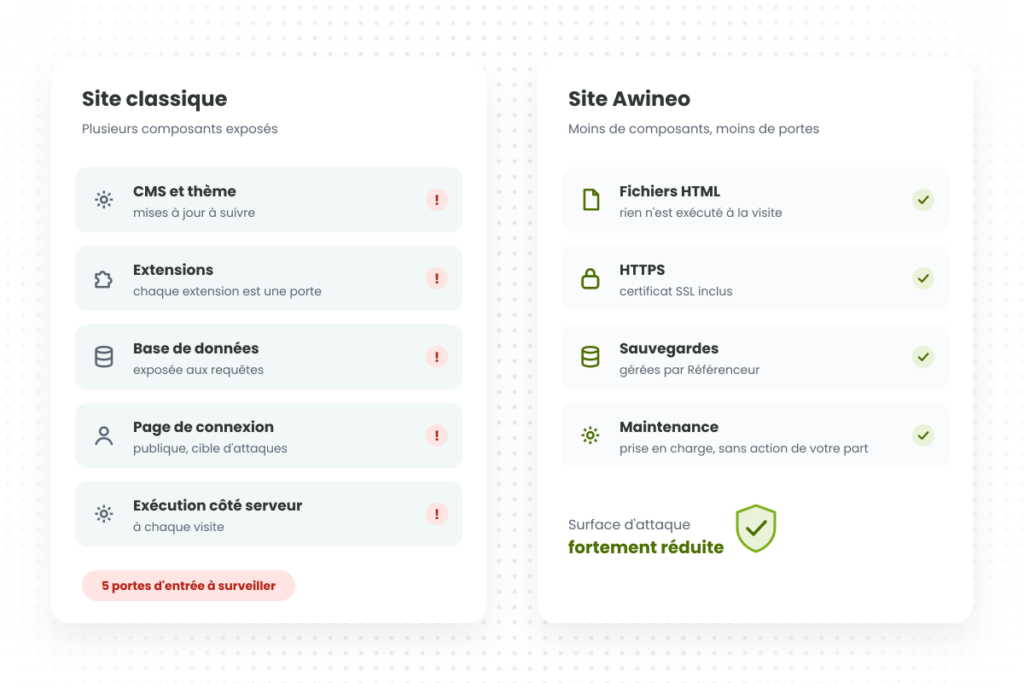
A new website, or a redesign, is the right time to reduce risk. Every plugin, every theme and every admin account is a potential entry point. A modern website should guarantee HTTPS on every page with an automatically renewed certificate, regular updates (or an architecture that reduces the need for them), tested backups, and forms that are protected against spam and GDPR-compliant.
A website with no database and no plugins has a much smaller attack surface. If your site has already been compromised, our hacked WordPress site page explains how to respond.
Why entrust your website build or redesign to a qualified agency
Building or redesigning a website touches design, development, content, SEO, security and hosting all at once. A mistake in just one of these areas can wipe out the benefits of all the others. Before choosing a provider, ask them these questions:
| Question to ask | What a qualified agency should answer |
|---|---|
| How do you measure speed? | With real-world Core Web Vitals (PageSpeed Insights, Search Console), before and after launch. |
| How do you handle the migration? | URL inventory, URL mapping, tested 301 redirects, monitoring in Search Console (for a new build: checking indexing right from launch). |
| Is SEO built in from the design stage? | Yes: site structure, internal linking, markup, structured data and content are all planned before launch. |
| Who owns the domain name? | You do, no question about it. |
| Who handles security and maintenance? | A clear commitment: updates, backups, SSL certificate, monitoring. |
| Will I be able to edit my content? | Yes, on your own, without any risk of “breaking” the site. |
At Référenceur, we’ve been helping businesses grow their online visibility for more than 20 years. Every website build or redesign includes needs analysis, UX, your brand guidelines, SEO, AI visibility and a carefully managed migration. And for small business websites, our ultra-fast website subscription combines performance, hosting, security and maintenance in one all-inclusive plan.
Frequently asked questions about building and redesigning a website
Because it directly affects sales and inquiries. According to the “Milliseconds Make Millions” study (55 and Deloitte for Google), shaving 0.1 second off mobile load times increased conversions by 8.4% in retail and 10.1% in travel. At Vodafone, loading the main content 31% faster generated 8% more sales. Google also recommends achieving good Core Web Vitals for success in Search.
Google considers that a page delivers a good experience when, for at least 75% of visits: the main content loads in 2.5 seconds or less (LCP), the page responds to interactions in 200 milliseconds or less (INP), and the layout stays stable, with a CLS of 0.1 or less. For reference, only 43% of mobile sites pass all three thresholds (Web Almanac 2024).
Test your main pages in PageSpeed Insights: the “Discover what your real users are experiencing” section shows real-world Chrome user data, while the “Diagnose performance issues” section shows a simulated lab test. In Search Console, the Core Web Vitals report shows which URLs are rated good, need improvement or poor, on both mobile and desktop. Check mobile first: it’s the version Google uses to index and rank your site.
Not if the migration is well prepared. The risk mainly comes from old URLs that aren’t redirected, high-performing content that gets deleted, and indexing blocks that someone forgot to remove. Google says ranking fluctuations lasting a few weeks or more are normal for a medium-sized site; with a complete URL mapping and direct 301 redirects, the site then recovers its previous level.
Google recommends keeping them for at least a year, and ideally longer. Every old URL should point directly to its new equivalent, with no redirect chains, and never be mass-redirected to the homepage. Deleted pages with no equivalent should return a 404 or 410 status code.
The essentials: no noindex tag or robots.txt block left over from staging, HTTPS active on every domain variant, the site verified in Search Console with the new sitemap submitted, redirects tested if it’s a redesign, and working forms and conversion tracking. Missing just one of these can make your site invisible on Google.
There’s no AI-specific tag, but markup is still essential. For Google’s AI Overviews, a page must first be indexed and eligible to be shown with a snippet. Then, semantic HTML (a single H1, logical H2s and H3s, lists and tables) and Schema.org structured data (business, services, FAQs) that matches the visible content help search engines and AI tools identify your information accurately, and therefore cite it.
Yes, as long as you make the right technical choices: a logo and icons in SVG, fonts limited to the weights you use, images in WebP or AVIF sized for the screen, and reusable components. It’s usually oversized images and unnecessary scripts that slow a site down, not the brand guidelines themselves.
It depends on the size of the site, the amount of content and, for a redesign, the migration. A simple small business website can go live in 1 to 3 days with our ultra-fast website plan; a more extensive project, or a redesign involving the migration of many pages, usually takes several weeks, including analysis and testing.
Ask how they measure speed (real-world Core Web Vitals, before and after), how they handle migration and redirects, whether SEO is built in from the design stage, who handles security and maintenance, and whether you’ll be able to edit your content yourself. One non-negotiable: the domain name must be registered in your name.
Sources
- web.dev (Google) – Milliseconds Make Millions, 55 / Deloitte study
- web.dev (Google) – Vodafone: a 31% improvement in LCP increased sales by 8%
- web.dev (Google) – redBus: optimizing INP and +7% sales
- web.dev (Google) – Defining the Core Web Vitals thresholds
- Google Search Central – Understanding Core Web Vitals
- Google Search Central – Mobile-first indexing
- Google Search Central – AI features and your website
- Google Search Central – Creating helpful, reliable, people-first content
- Google Search Central – Site moves with URL changes
- Search Console Help – Change of Address tool
- HTTP Archive – Web Almanac 2024, Performance chapter