0498 70 98 60
Service-Area Business on Google: Hide Your Address and Set a Realistic Service Area
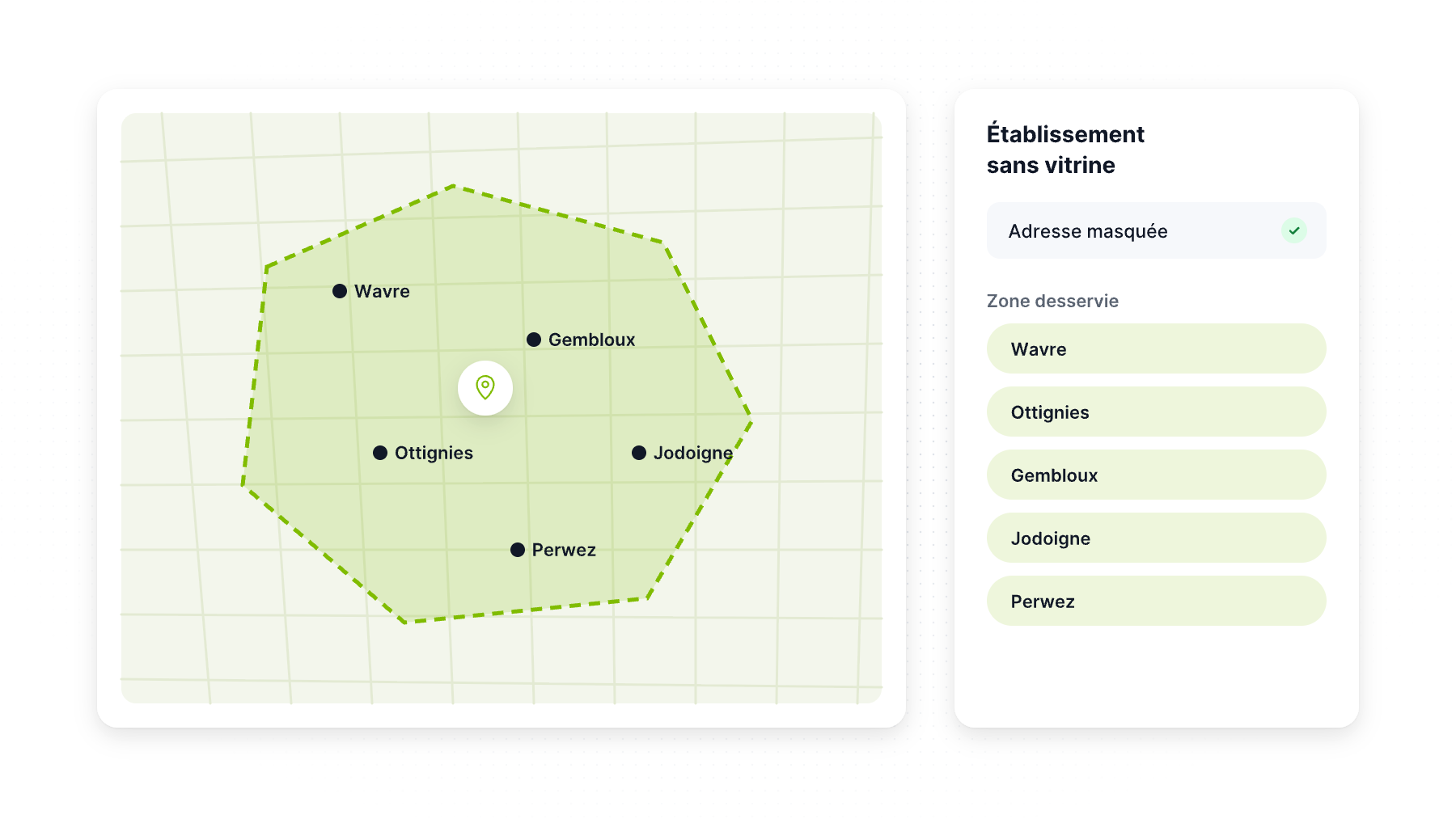
Plumbers, electricians, roofers, house cleaners, mobile dog groomers, pest control companies: if you travel to your customers instead of receiving them, Google considers you a service-area business (SAB). That changes how your Google Business Profile should be set up, and getting it wrong is a frequent cause of suspensions among contractors.
This guide explains when to hide your address, how to define a realistic service area, how hybrid businesses work and how to win customers in towns where you don’t have an office.
What Google means by “service-area business”
Google distinguishes three setups:
- Storefront business: customers come to your address (a store, clinic, restaurant). Your address is shown.
- Service-area business: you visit or deliver to customers and don’t serve them at your address. Google’s guidelines say a service-area business should hide its address from customers.
- Hybrid business: Google defines it as a business that serves customers at its address and also visits or delivers to them. A hybrid can show its address and list service areas, but Google requires permanent signage at the location. Without signage, you should set up as a service-area business.
According to Google’s guidelines, a business with no storefront that travels to customers gets one service-area Business Profile. Not one per town.
Should you hide your address?
Yes, if customers don’t come to you. That covers most contractors who work from home, a shared yard or a small office that isn’t open to the public. Google’s help center says to remove your address from your Business Profile if you don’t serve customers there.
You still need a real address to create and verify the profile. Google just won’t display it. A few rules apply:
- No P.O. boxes or virtual offices. Google doesn’t accept P.O. boxes or mailboxes at remote locations, and a virtual office you don’t operate from isn’t eligible.
- Coworking spaces only qualify with clear signage, customers received during business hours and staff on site.
- Some activities can’t be SABs. Google says businesses selling age-restricted products such as alcohol, cannabis or weapons can’t be service-area businesses without a storefront.
Showing a home address when you don’t receive customers there isn’t just a privacy risk. It goes against the guidelines and can trigger a suspension. If that already happened, see our guide to suspended Google Business Profiles.
How to set a realistic service area
The rules
- Up to 20 service areas. Google says you can set up to 20 areas based on cities, ZIP codes or other areas you serve.
- About two hours of driving time. Google says your overall area shouldn’t extend beyond about two hours of driving time from where your business is based. It notes that larger areas may suit some businesses.
- No radius. You can’t set your service area as a radius around your business.
Our recommendations
Listing 20 areas doesn’t mean you’ll rank in all 20. Choose areas based on reality:
- Where you actually work most. Pull your last 12 months of jobs from your CRM or invoices and map them by city or ZIP code.
- Where you’re profitable. A town 90 minutes away may be within the rules but kill your margins in drive time.
- Where you can deliver your promises. If your site says “same-day service,” your service area should allow it.
- Use names customers recognize: counties, cities, well-known areas (“Fairfax County,” “Plano,” “the North Shore”).
How to edit your service area
From Google’s help center:
- Go to your Business Profile.
- Select Edit profile, then Location.
- Next to “Service area,” select Edit.
- Pick suggested areas or type your own.
- Select Save.
Approved edits may take up to 48 hours to appear.
The honest truth about SAB rankings
Hiding your address is the right setup, but it has consequences you should understand. In Whitespark’s 2026 Local Search Ranking Factors survey, experts ranked a physical address in the city of search #4 and a visible address on the profile (not a SAB) #7 among local pack factors. Proximity to the searcher ranked #2.
In plain terms, your service area tells Google where you work, but it doesn’t make Google treat you as if you were located in every town on the list. Your profile tends to perform best near your verified address.
That’s not a reason to show an address you don’t serve customers at. It’s a reason to combine your profile with other channels.
How to win customers outside your home town
Service-area pages on your website
Create a genuinely useful page for each important town or county: projects completed there, local specifics (permits, housing stock, climate issues), reviews from customers in that area and a clear call to action. Avoid copy-paste pages that only swap the city name. Google’s spam policies can treat near-identical city pages as doorway pages.
Reviews that mention locations
Customers often mention their town naturally (“great job on our roof in Arlington”). You can’t script reviews, but asking every customer increases the number of reviews from each area (see Google reviews and US law).
Local Services Ads and Google Ads
Paid campaigns let you target exactly the cities and ZIP codes you serve, regardless of where your office is. Google Local Services Ads, which show a Google verification badge after background and license checks, are available for many home-service categories in the US. Our PPC agency team can set up and manage them.
A real second location
If you have a staffed office or warehouse in another city, with signage, you may be eligible for a second profile. A mailbox or a friend’s address doesn’t qualify.
Hybrid businesses: the best of both, with conditions
A hybrid setup fits businesses such as a landscaping supply yard that also delivers and installs, a locksmith with a staffed shop that also does mobile calls, or a cleaning company with a showroom. To qualify, you need permanent signage and to serve customers at the address during your listed hours. Show the address, then add service areas for where you travel.
Checklist for service-area businesses
- Address hidden if customers don’t visit
- Real address used for verification (no P.O. box, no virtual office)
- One profile for the business, not one per town
- Service areas based on real jobs, within about two hours of driving
- Business name without city names or keywords
- Service-area pages with real content on your website
- Same data across Yelp, Angi, BBB, Bing and Apple (see our NAP consistency guide)
Need help with your contractor profile?
Référenceur sets up and optimizes Google Business Profiles for US contractors and home-service companies, builds service-area pages that rank and runs Local Services Ads campaigns. See our local SEO services or contact us for a free assessment.
FAQ
Should a contractor show their address on Google?
Only if customers visit that address during business hours. If you travel to customers, Google says you should hide your address and set service areas instead. You still need a real address to verify the profile.
How many service areas can I add to my Google Business Profile?
Up to 20, based on cities, ZIP codes or other areas. Google says your overall area shouldn’t extend beyond about two hours of driving time from your base.
Can I use a P.O. box or virtual office for my service-area business?
No. Google doesn’t accept P.O. boxes or mailboxes at remote locations, and virtual offices you don’t operate from aren’t eligible.
Will hiding my address hurt my rankings?
Experts consider a visible address in the city of search an advantage. But showing an address where you don’t serve customers violates Google’s guidelines. Compensate with service-area pages, reviews and ads.
Can I create a profile for each city I serve?
No. A service-area business without a storefront is allowed one Business Profile. Additional profiles require real, staffed locations.
Unsure whether to show or hide your address? Contact Référenceur for a free profile review.