 0498 70 98 60
WordPress Security Guide: How to Protect Your WordPress Site

Most compromised WordPress sites weren’t singled out by a hacker. They were simply found by a bot, through a known vulnerability that never got patched. This WordPress security guide is written for small businesses, independent professionals, and nonprofits that want to understand the risks, know how to respond, and, above all, stop playing catch-up.
Référenceur, a European digital marketing agency with offices in Belgium and Luxembourg, helps businesses diagnose, clean up, and lock down their WordPress sites, entirely over video calls, from the first conversation to ongoing monitoring.
Check your WordPress site’s security: run a free initial scan right now with the tool below.
Each section of this WordPress security guide links to a more detailed article. You can also run a free security scan right here on this page for a quick first look; if your site has already been hit, our hacked WordPress site repair page explains how we handle it.
How Do Hackers Get Into a WordPress Site?
WordPress core has a dedicated security team and ships patches regularly. That means most break-ins happen around the edges: an abandoned plugin, a theme bought years ago, a recycled password, or shared hosting with poor isolation between accounts.
These attacks are automated and indiscriminate: a bot makes no distinction between a local brewery’s website, a law firm’s site, and a multinational’s. Our article on vulnerable WordPress plugins shows you how to spot risky components.
Many business sites are also multilingual, with English and Spanish versions, for example. Every translation plugin and every rarely visited language version becomes a blind spot where injected content can go unnoticed for weeks.
That leaves two classic points of entry: “nulled” plugins, pirated premium versions that often ship with a backdoor, and credentials stolen through phishing. Is there an admin in your user list nobody recognizes? Read our article on a hacked WordPress admin account.
WordPress Security Guide: Four Fronts to Cover at Once
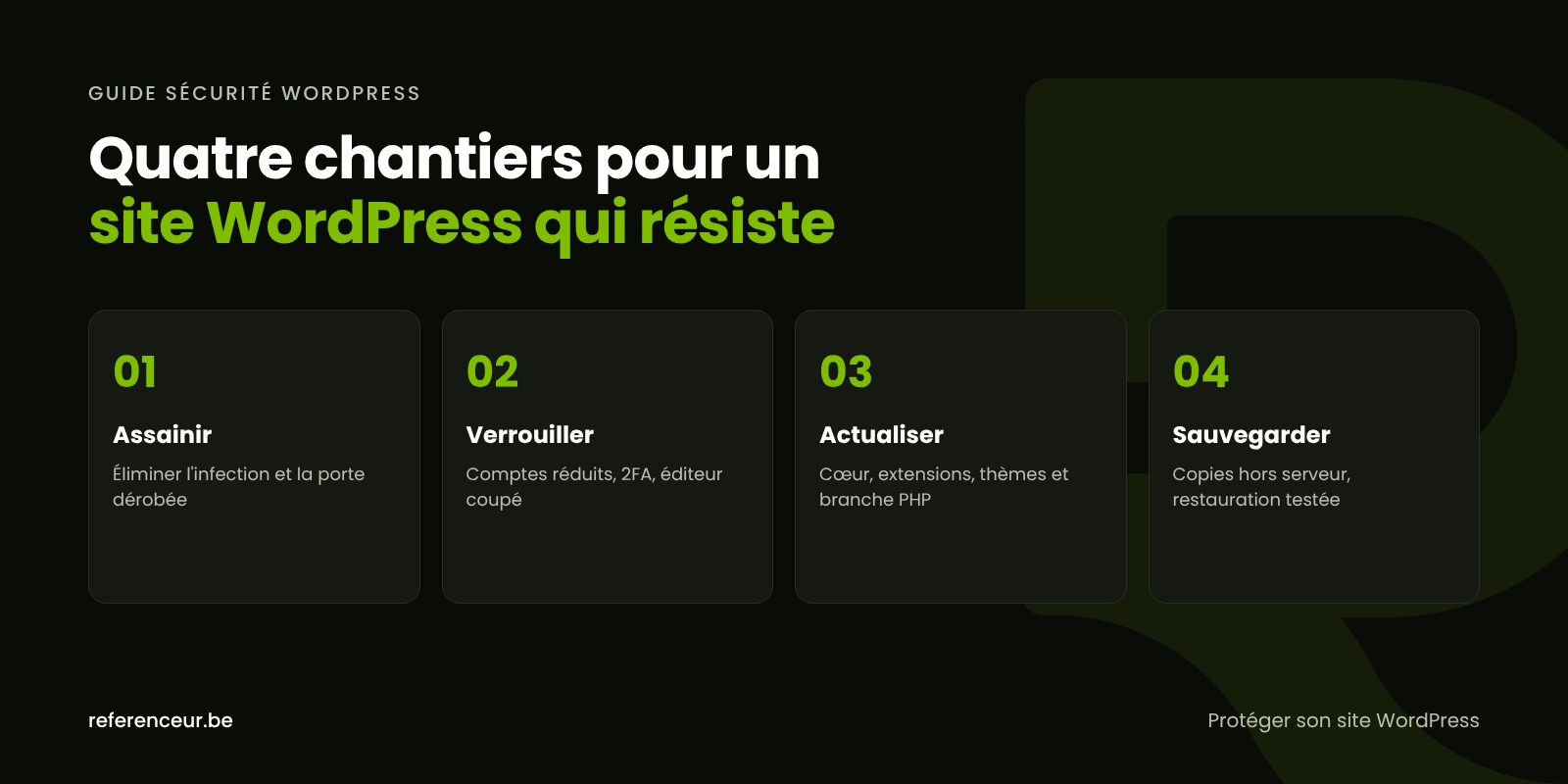
No plugin can protect a site on its own. Security rests on four complementary efforts (clean up, lock down, update, and back up), plus ongoing monitoring. The table below separates what you can handle yourself from what’s safer to hand off to a professional.
| Effort | What You Can Do | Best Left to Your Host or Agency |
|---|---|---|
| Clean up | Document the symptoms, keep a copy of the affected site, change your passwords | Review files and the database, remove backdoors, analyze the logs |
| Lock down | Turn on two-factor authentication, remove accounts that are no longer needed | Web application firewall, file permissions, isolating sites on the server |
| Update | Run minor updates, delete deactivated plugins | Test major updates on a copy, migrate to a supported PHP branch |
| Back up | Know where the backups are stored and how often they run | Automatic off-server backups, scheduled test restores |
| Monitor | Read messages from Search Console and your hosting provider | Integrity checks, regular reporting, a documented emergency procedure |
Cleaning up means removing every trace of the intrusion, not just what you can see: a deleted redirect comes right back if the backdoor stays in place. The complete process is laid out in our guide to WordPress malware removal.
Locking down means shrinking the attack surface: fewer accounts, limited permissions, and the file editor turned off. Our article on WordPress security hardening covers the recommendations from the official documentation.
Updating covers WordPress core, plugins, themes, and PHP. According to the official PHP release schedule, the 8.2 branch now receives security fixes only, through December 31, 2026. See our WordPress updates guide and our article on choosing the right PHP version.
Finally, backing up remains your best insurance, as long as the copy is recent, stored somewhere other than the server, and already tested. Frequency, retention, and restores are covered in our WordPress backup guide.
How to Recognize an Attack and Respond in the Right Order
Start by reviewing the signs of a hacked WordPress site. If your suspicions are confirmed, follow this sequence:
- Document what you see: the date, the affected pages, and screenshots from both a computer and a smartphone.
- Protect your visitors with a maintenance page.
- Alert your hosting provider, which holds the access logs.
- Copy the site as it is now, files and database, before you touch anything.
- Reset every credential: hosting, email, SFTP, database, WordPress.
- Find the point of entry, or the site will get reinfected.
- Clean the site or restore a backup that predates the intrusion, then update everything.
- Monitor the site and request a review from Google if it was flagged.
Each step is explained in detail in our action plan: WordPress site hacked: what to do.
Common Attacks, and the Article That Covers Each One
SEO spam generates thousands of pages in Japanese or fake online stores under your domain name, often invisible to you but indexed by Google. Our guide to the Japanese keyword hack in WordPress explains how to get rid of it.
Malicious redirects send your visitors to scams, sometimes only from a phone or from a search result. How to deal with them is covered in our article on the WordPress redirect hack.
When Google detects malware or a phishing page, it can display a warning in its search results and in the browser. How to get out of that situation is explained in WordPress site blocklisted by Google.
A compromised site is also sometimes used to send spam email. If that’s your situation, see when WordPress sends spam.
Personal Data and Incident Reporting in the U.S.
Contact forms, restaurant reservations, customer accounts on an online store: a hack can expose personal information. Every U.S. state has a data breach notification law that may require you to notify affected individuals, and some states also require notice to the attorney general or other regulators. What counts as personal information, when notice is triggered, and how fast you must act vary from state to state.
Depending on your industry and where your customers live, other rules may apply as well, such as the California Consumer Privacy Act (CCPA, as amended by the CPRA). The FTC’s Data Breach Response guide for businesses covers the practical steps, and our guide on what to do after a WordPress data breach puts them in order for a WordPress site, but neither is a substitute for advice from a qualified attorney.
On the technical side, CISA (the Cybersecurity and Infrastructure Security Agency) accepts incident reports from any organization and publishes guidance for small businesses. Cybercrime involving fraud or extortion can be reported to the FBI’s Internet Crime Complaint Center (IC3), and you can also file a report with local law enforcement.
How to Protect Your WordPress Site Month After Month
A secure site doesn’t stay that way on its own: new plugin vulnerabilities are disclosed every week. To protect your WordPress site without spending all your time on it, a simple schedule is enough.
- Weekly: install security updates and confirm the automatic backup ran successfully.
- Monthly: review the user list, remove unnecessary plugins, and check the Security Issues report in Search Console.
- Quarterly: restore a backup to a test copy, and check your PHP version and file integrity.
- Annually: change sensitive passwords and reassess your hosting.
Two steps from the official documentation show what this work looks like. The first turns off the dashboard’s file editor with a single line added to wp-config.php:
define( 'DISALLOW_FILE_EDIT', true );The second uses WP-CLI to compare installed files against the WordPress.org checksums, first for core and then for plugins:
wp core verify-checksums
wp plugin verify-checksums --all
Remote Support Over Video Call, Wherever You Are
A hacked site gets fixed on the server, not in your office. That’s why our support happens entirely over video calls: Référenceur is a European agency (Belgium and Luxembourg) that works with U.S. businesses remotely, and you follow every step from your own desk.
In practice: a diagnostic call with screen sharing, temporary named credentials, the hands-on work, and then a recorded debrief so your team knows what to watch for. A monthly check-in with reporting can then keep maintenance on track.
For a bigger project, take a look at our web design agency services.
WordPress Security Guide: Your Questions Answered
Is WordPress more vulnerable than other CMS platforms?
Not inherently. Its popularity makes it a prime target, and the sheer number of available plugins multiplies the possible points of entry. An up-to-date core, a short list of well-maintained plugins, and tightly controlled access provide solid protection.
Is a security plugin enough to protect my WordPress site?
No. A web application firewall or a file scanner adds a useful layer, but it doesn’t replace updates, backups, or account management. To protect your WordPress site, a handful of measures applied consistently beats a pile of tools that slow the site down and add more code to maintain.
Does a multilingual site need extra vigilance?
Yes, to a degree. Translation plugins add code that has to be kept up to date, and a rarely visited language version (your Spanish pages, for example) can host injected content without anyone noticing. Check each language in Search Console and run targeted searches on each language subdirectory.
Who’s responsible for security: my host or me?
Both of you, at different levels. Your host protects the server, the network, and often its own infrastructure backups. The WordPress installation, with its plugins, accounts, and updates, generally remains the responsibility of the site owner or their web agency. Review your hosting agreement to see exactly how responsibilities are split.
Are there U.S. cybersecurity rules that apply to my business?
It depends on your industry and where your customers live. Some sectors have their own requirements, such as HIPAA for health information or the FTC Safeguards Rule for certain financial services, and businesses that accept card payments usually have PCI DSS obligations through their payment processor. State breach notification laws apply whenever personal information is compromised, and some states also require reasonable security measures. For your specific situation, consult a qualified attorney.
My site has been hacked several times. Should I rebuild it?
Not necessarily, but repeated reinfections often point to an entry point that was never found or an outdated technical foundation. When the theme is no longer maintained and the site relies on abandoned plugins, starting over on a clean foundation can make more sense than yet another cleanup.
Does this WordPress security guide apply to a WooCommerce store?
Yes, with higher stakes: a store handles customer data and sometimes payments. The four efforts apply the same way, with special attention to customer accounts, payment plugins, and database backups, since the database holds your order history.
Not sure your site is clean? Run a free security scan of your WordPress site:
Have questions about your WordPress site’s security? Schedule a diagnostic video call: we’ll review the symptoms, access, and backups with you, then build a concrete action plan together.