 0498 70 98 60
Site Flagged as Dangerous by Google? How to Clear the Warning and Reassure Customers

Customers email you that “your website is showing a warning,” and your homepage is hidden behind a red screen: a site flagged as dangerous by Google starts losing visitors within hours. Before you start deleting files at random, take the time for an orderly diagnosis: that’s what gets you out of the crisis fastest.
Référenceur is a European digital marketing agency, with offices in Belgium and Luxembourg, that works remotely with retailers, small businesses, and nonprofits whose WordPress sites have been blocklisted, from reading Search Console all the way through the review request, without ever asking you to hand over your passwords. This guide covers every step, and a free security scan is available on this page for a first check.
Check your WordPress site’s security: run a free initial scan right now with the tool below.
Site Flagged as Dangerous by Google: What’s Behind the Red Screen
The warning comes from Google Safe Browsing, a service that Google says helps protect more than 5 billion devices every day. Chrome and other browsers rely on it, so the block reaches your visitors far beyond search results.
In Search Console’s Security issues report, Google sorts incidents into three categories: hacked content, placed on the site without your permission; malware or unwanted software; and social engineering, which tricks visitors into doing something dangerous. On WordPress, assume the site has been compromised until your analysis proves otherwise.
The damage spreads quickly: antivirus software and corporate web filters keep their own reputation lists, your emails may start landing in spam, and some hosts suspend the account. If your site is multilingual, check every language.
Diagnose the Problem Before You Touch the Site
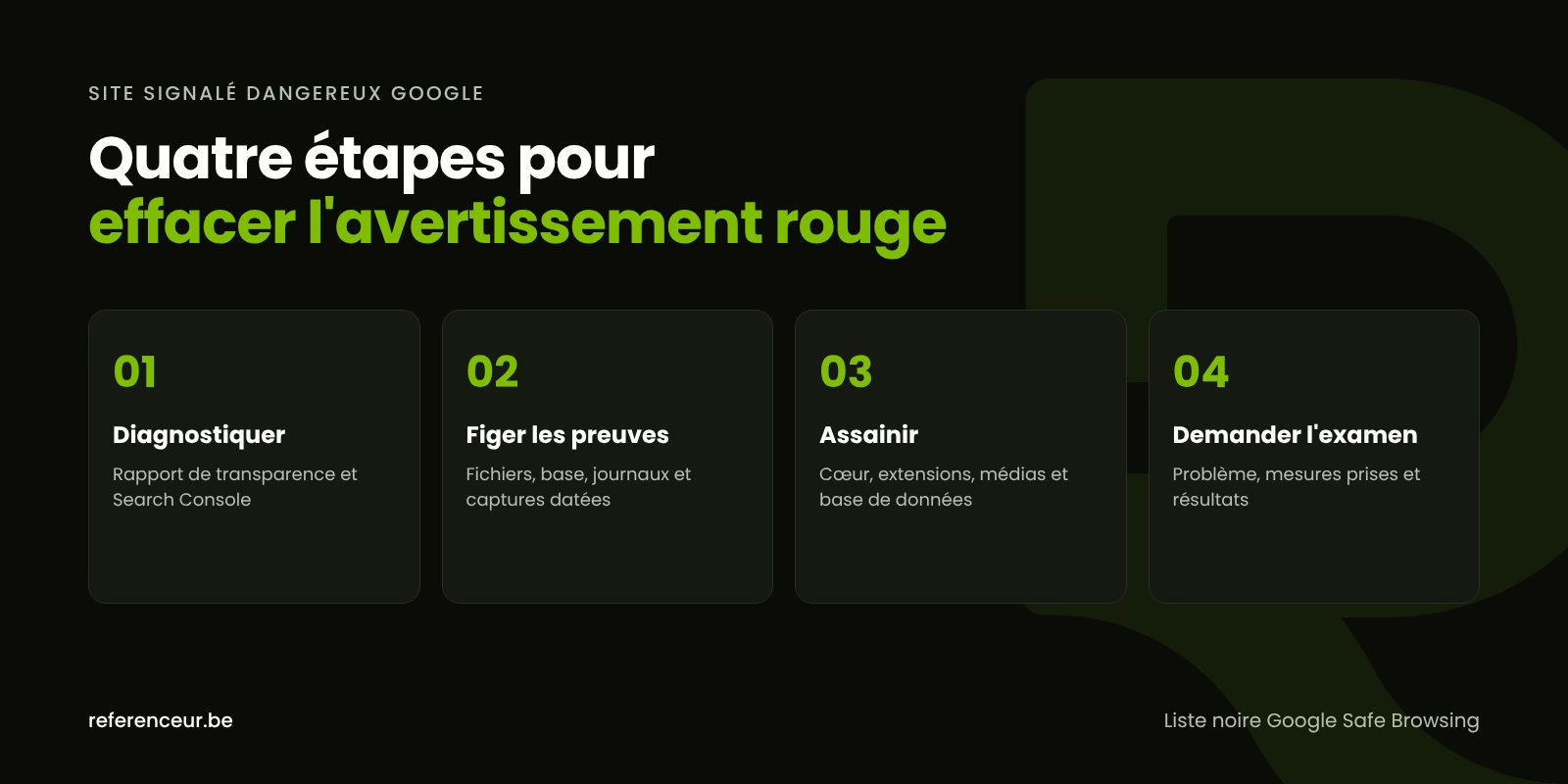
Start with the site status tool in Google’s Transparency Report: it shows whether your domain currently hosts content Google considers unsafe. Then open Search Console and go to Security issues to see the exact category and a few sample URLs.
Google points out that this list of examples isn’t necessarily complete: you need to fix the entire site, not just the pages listed. Verify ownership of the property right away, since the review request goes through it.
Before you change anything, preserve the evidence: a copy of the files and database, the access logs, and dated screenshots of the warning. That copy is for understanding the intrusion, never for restoring the site.
Alert your hosting provider, too. Ask for their access logs, any malware detections, and, if the account is suspended, restricted access so you can clean up.
Clean Up WordPress, From the Root to the Media Library
Google is clear: a partial fix won’t lift the warning. Here’s the order we follow to avoid reinfecting the site along the way:
- Close the door: a maintenance page or password protection while the work is underway.
- Check integrity: compare WordPress core and plugins from the official directory against their checksums.
- Hunt for additions: PHP scripts among your media files, unknown scheduled tasks, ghost administrator accounts.
- Start from clean sources: core, theme, and plugins downloaded fresh from their official developers.
- Inspect the database: scripts injected into content, modified options, and a changed site URL.
- Rotate every secret: WordPress, SFTP, database, and hosting passwords, then the security keys.
With SSH access, WP-CLI speeds up these checks without changing anything: differences from the official files, administrators, scheduled tasks, and PHP files hidden among your media.
wp core verify-checksums
wp plugin verify-checksums --all
wp user list --role=administrator
wp cron event list
find wp-content/uploads -name "*.php"
A premium plugin isn’t covered by the WordPress.org checksums: reinstall it from the developer’s site. Get rid of any “nulled” copy, which receives no patches and often carries added code.
Depending on the scenario, you may find malicious redirects aimed only at mobile visitors, spam pages visible only in Google (see our guide to the Japanese keyword hack), or a silent backdoor. Our method to remove WordPress malware covers each of these cases.
Request a Review: Getting Off the Google Safe Browsing Blocklist
Once the site is clean and accessible to Googlebot, submit a review request from the Security issues report. Google wants three things: a precise description of the problem, the steps you took, and the results.
Stick to the facts: files deleted, plugin replaced, passwords changed. A request sent while the problem persists slows down future reviews, and Google asks you not to resubmit until the previous request has been decided.
According to Google’s documentation, expect about a day for phishing, a few days for malware, and several weeks for hacked sites with spam. If the site is found clean, the warnings in browsers and search results should disappear within 72 hours.
Getting off the Google Safe Browsing blocklist doesn’t settle everything: several antivirus vendors maintain their own databases and offer a false-positive report form. Submit those after Google’s decision, along with a summary of your fixes.
Phishing Reports, Law Enforcement, and Breach Laws in the U.S.
Phishing reports from the public feed many of the blocklists that browsers and security vendors rely on. If a phishing campaign points to a hacked page on your site, those reports can be what triggers the warning. Conversely, if scammers are impersonating your business, you and your customers can forward their messages to the Anti-Phishing Working Group at [email protected] and report them to the FTC at ReportFraud.ftc.gov.
If the attack is serious or still in progress, file a complaint with the FBI’s Internet Crime Complaint Center (IC3) at ic3.gov; CISA also accepts voluntary incident reports. Businesses in regulated sectors, such as health care or financial services, may have additional federal reporting obligations.
If forms, customer accounts, or orders may have been exposed, check your obligations under state data breach notification laws. Every state has one, and they differ on what counts as personal information, who must be notified, and how fast; generally, the law of the state where each affected person lives applies. The FTC’s Data Breach Response: A Guide for Business is a good overview, but it’s no substitute for a privacy attorney’s advice on your specific case.
Lock Down the Site to Prevent a Relapse
There’s no point clearing the warning if the vulnerability stays open. This table splits the work between your team and your vendors:
| Area | In-house tasks | What to require from your developer or host |
|---|---|---|
| Access | Delete unnecessary accounts, turn on two-factor authentication | Limit login attempts on wp-login.php and xmlrpc.php |
| Components | Update core, theme, and plugins; remove anything unused | Test every update on a staging copy |
| Server | Note the PHP version in the Site Health tool | Move to a PHP branch that’s still supported |
| Backups | Identify the last clean copy and its date | Off-site copies and regular restore tests |
| Monitoring | Get Search Console alerts by email | File scanner and uptime monitoring |
Add the line define( 'DISALLOW_FILE_EDIT', true ); to wp-config.php to disable the theme and plugin editor in the dashboard. Our WordPress security guide covers the other hardening measures.
When it comes to backups, be wary of yesterday’s copy: the infection may predate the warning by several weeks. Only restore a version that’s been verified clean, then apply every update before putting the site back online.
Once the warning is lifted, keep an eye on organic traffic and indexed pages: our SEO team makes sure the spam URLs actually drop out of the index.
Remote Support, Wherever You’re Located
A blocked site is easy to examine over a video call with screen sharing: you see every check in real time, and you’re the one who types in the passwords. Référenceur works with U.S. businesses remotely, so the process is the same no matter where your business is.
Here’s how it works: a diagnostic call to go through Search Console together, a written plan that separates your tasks from your host’s, then a joint sign-off before the review request. A recorded training session then teaches your team to monitor alerts, and a monthly check-in can handle follow-up.
For end-to-end support, from analysis to getting the site back online, see our hacked WordPress site repair page. If the site is too old to save, our web design team can rebuild it on the same domain.
Site Flagged as Dangerous by Google: Your Questions
Does the warning affect my Spanish-language pages too?
Google can flag specific pages or the entire domain, depending on how widespread the problem is. Since all your language versions usually share the same WordPress installation, an infection often affects all of them. Test each version in a private browsing window and treat the site flagged as dangerous by Google as a whole, rather than focusing only on the language mentioned in Search Console.
How long will my site stay blocked?
As long as the problem persists, so does the warning. The timeline depends first on the quality of the cleanup, then on the review time, which varies by category according to Google: about a day for phishing, several weeks for a hack with spam. A premature request makes the wait longer, not shorter.
I don’t see anything wrong with my site. Could Google be mistaken?
Rarely. Many infections hide from logged-in administrators and only appear to visitors coming from Google or using a smartphone. Check the sample URLs in Search Console, test from another device, and compare your files with WP-CLI. If everything truly is clean, the review request is exactly how you get Google to confirm it.
Do I need to notify anyone about the hack?
It depends on what was affected. If personal information may have been accessed or stolen, state breach notification laws may require you to notify affected individuals and, in some states, the attorney general, within set deadlines. Reporting to the FBI’s IC3 or to CISA is generally voluntary for small businesses. If you’re unsure about your legal obligations, consult a privacy attorney.
Would switching to a new domain name solve the problem?
No. Changing domains doesn’t fix the vulnerability, and you lose your search history, your backlinks, and the trust you’ve built with customers. Getting off the Google Safe Browsing blocklist requires a cleanup and a review; if the site needs to be rebuilt, it’s better to rebuild it on the same domain.
Will my search rankings recover?
While the site is blocked, most visitors turn back at the warning. Once it’s lifted, visibility usually returns if the injected content has been removed and the spam pages deindexed. However, a site flagged as dangerous by Google more than once remains more vulnerable: prevention matters as much as repair.
Not sure your site is clean? Run a free security scan of your WordPress site:
Is a red warning screen blocking your site? Book a short video call: we’ll go through Search Console together, pinpoint what triggered the warning, and leave you with a written action plan to restore trust in your WordPress site.