 0498 70 98 60
WordPress Site Hacked? What to Do in 8 Steps

Your homepage redirects to a fake sweepstakes, Google is showing a red warning, or your host shut down your account overnight. WordPress site hacked: what to do first? This plan walks you through the first few hours step by step, so you can limit the damage without wiping out the evidence you’ll need to understand the attack.
Référenceur is a European digital marketing agency, with offices in Belgium and Luxembourg, that works remotely with businesses, retailers, and nonprofits whose websites have been compromised: a shared diagnosis first, then hands-on help to fix a hacked WordPress site and close the hole the attacker used.
Check your WordPress site’s security: run a free initial scan right now with the tool below.
This page builds on our complete WordPress security guide. A free security scan is available on this page for a first look; to hand the job over to us directly, head to our hacked WordPress site repair page.
Reactions That Make Things Worse
Before answering “my WordPress site was hacked, what do I do?”, let’s cover what to avoid. In the heat of the moment, many owners delete everything or restore the most recent backup. That destroys the traces of the intrusion, and that backup may already contain the malicious code.
Other common traps: reinstalling a “nulled” plugin grabbed from a download site, deleting the one suspicious file you can see while leaving the backdoor in place, or asking Google for a review too soon. According to Google’s documentation, a premature request extends the time your site stays flagged.
Finally, don’t reply to any message from the attacker, and never email your passwords to a contractor. Instead, create named, temporary accounts for them and delete those accounts once the work is done.
WordPress Site Hacked? What to Do in 8 Steps
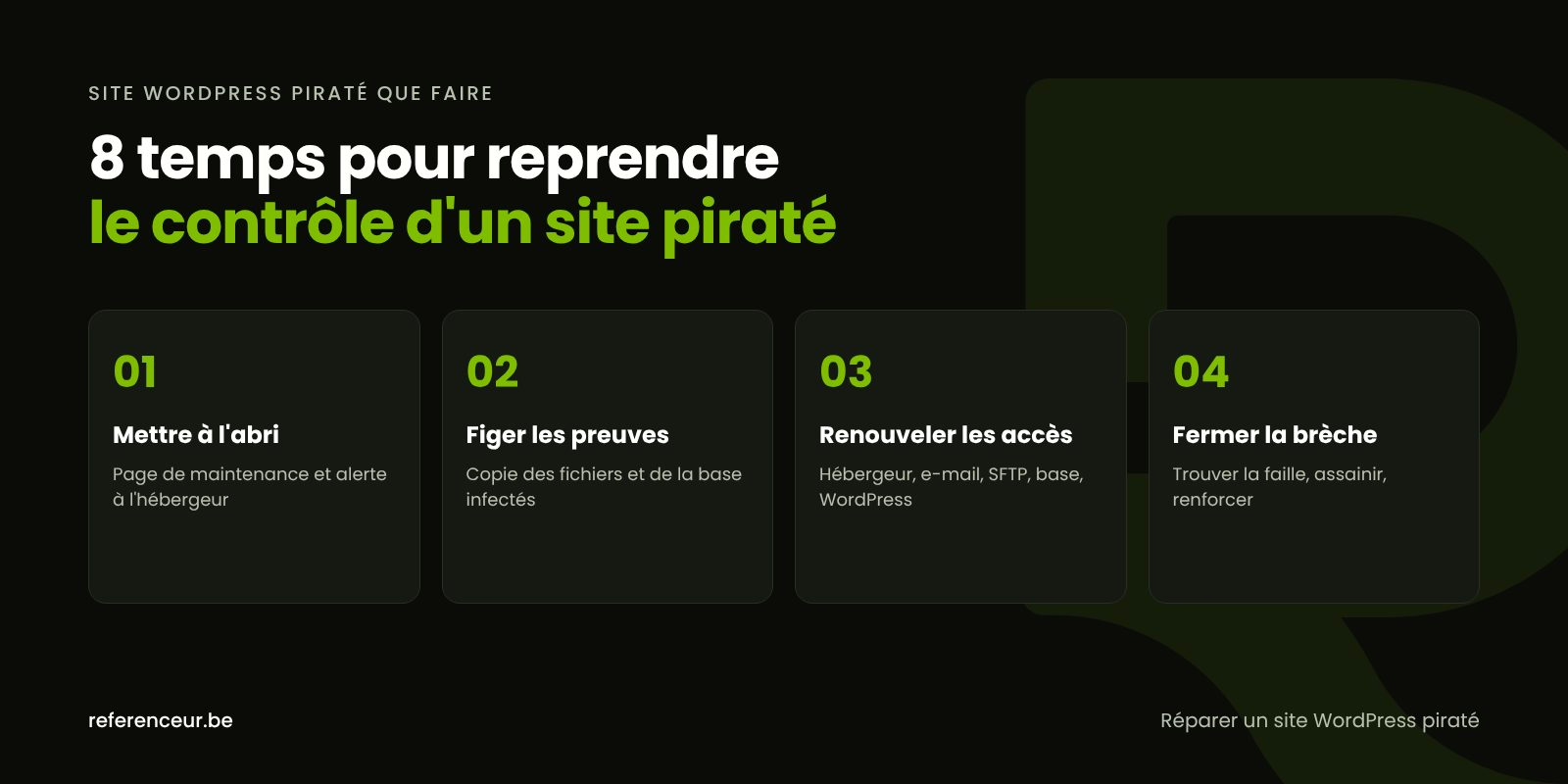
- Document before you act. Note when you discovered the problem and which pages are affected, and take screenshots, including from a smartphone and from a Google search result: some redirects only target those visitors.
- Protect your visitors. A maintenance page keeps visitors safe; if you can no longer trust the dashboard, ask your host to temporarily block public access.
- Contact your hosting provider. They can review the access logs, check whether other sites on the same account are affected, and list the backups they keep.
- Preserve the infected state. Download the files and export the database as they are, into a separate, clearly labeled folder. This copy serves as evidence and as material for analysis; it should never be restored.
- Reset every credential, in the order shown in the table below.
- Find the way in. A vulnerable plugin, a stolen password, a forgotten account: without an answer, reinfection is almost guaranteed.
- Clean or restore. Either a full cleanup or a backup that predates the intrusion, followed immediately by updates.
- Harden and monitor. Two-factor authentication, updated plugins, Search Console checks, and another file scan over the following days.
Not everything gets resolved in a day, but the first five steps are urgent: they contain the damage while you look for the cause. That’s the safest answer to “WordPress site hacked: what to do.”
Take Back Control of Every Account
Start with the accounts that can reset all the others: your hosting account and the email inbox that receives password recovery links. Work from a device you trust.
| Account | Why it matters | What to check |
|---|---|---|
| Hosting account | It controls the files, the database, and the backups | Two-factor authentication on, contact addresses unchanged |
| Administrator’s email | It receives password reset links | Forwarding rules added without your knowledge |
| SFTP and SSH | Direct access to the site’s files | Unknown FTP accounts to delete |
| Database | It holds content, accounts, and orders | New password updated in DB_PASSWORD in wp-config.php |
| WordPress accounts | One hidden admin is all it takes to get back in | Unknown administrators recorded, then removed; every password changed |
| Security keys (salts) | They validate active sessions | New keys in wp-config.php to log everyone out |
You can generate new keys with the official WordPress.org service. Choose long, unique passwords and store them in a password manager rather than a shared spreadsheet.
Figure Out How the Attacker Got In
Without the cause, you’re only treating a symptom. With WP-CLI, WordPress’s official command-line tool, a few commands run over SSH give you a first snapshot of the installation:
wp core verify-checksums
wp plugin verify-checksums --all
wp user list --role=administrator
wp cron event list
find wp-content/uploads -name "*.php"
The first two compare WordPress core and plugins from the official directory against the WordPress.org checksums. The next ones list administrators and scheduled tasks, then find PHP files tucked into the media folder, where they have no business being.
Then cross-check these results against the server’s access logs and the date each plugin was last updated. An unknown administrator account calls for a separate investigation, covered in our guide to a hacked WordPress admin account.
Fixing a Hacked WordPress Site: Restore or Clean?
Restoring is fast if you have a backup from before the intrusion and you’ve identified the vulnerability; otherwise, you’re putting a site back online that will be compromised the same way. Our WordPress backup guide helps you pick the right restore point.
A full cleanup is the way to go when the date of the intrusion is unknown or there are no usable backups: reinstall core and plugins from their official sources, inspect the theme, configuration, and database, and remove every injected element. The full method is in our guide to removing WordPress malware.
If the site runs on an abandoned theme and plugins nobody maintains anymore, trying to fix a hacked WordPress site can just postpone the problem. A rebuild on a clean foundation is then worth considering.
After the Site Is Back Online: Google, Breach Laws, and Reporting
Update WordPress core, themes, and plugins, make sure your PHP version is still supported, and delete anything you don’t use. Then apply the baseline measures from the official Hardening WordPress documentation, such as disabling the file editor.
If Google flagged the site, open the Security issues report in Search Console, fix every URL listed, then request a review with a precise description of the work done. According to Google’s help center, the review can take anywhere from a few days to a few weeks.
If personal information may have been accessed, you may have notification obligations under state law: all 50 states have data breach notification laws, with different definitions, recipients, and deadlines. The FTC’s Data Breach Response: A Guide for Business lays out the basics; for your specific case, talk to a privacy attorney. You can also report the incident to the FBI’s Internet Crime Complaint Center (IC3) at ic3.gov or to CISA, and contact local law enforcement.
A Diagnosis Over Video Call, Wherever You Are
A compromised site gets fixed on the server, not in your office. That’s why we work entirely over video calls: a first call with screen sharing to review the symptoms, temporary access set up, the hands-on work, then a recorded walkthrough of what was done.
You follow every step and keep a written record of the work, in English, whether your site is in one language or also has a Spanish version. As a European agency, we work with U.S. businesses entirely remotely, with no need for a local office.
WordPress Site Hacked, What to Do: Your Questions
Should I delete the site to stop the attack?
No: deleting it destroys the evidence and makes the analysis harder. Put the site in maintenance mode instead, or ask your host to block public access. Keep a full copy of the infected state, then work on the cause, because a site deleted without understanding the intrusion will often be compromised the same way once it’s back online.
Can I just restore yesterday’s backup?
Only if you’re certain it predates the intrusion and the vulnerability has been fixed. Many attacks stay dormant for weeks: yesterday’s backup may already contain the backdoor. Compare several backups, check file modification dates, and run every update right after the restore.
My host suspended my account. What should I do?
Ask for the exact reason, the files that were flagged, and the conditions for reactivation. Request the access logs and a list of available backups, too: they help date the intrusion and find the way in. Avoid rebuilding the site with a different host before you’ve identified the cause.
Do I have to tell my customers about the hack?
It depends on what was exposed and where your customers live. If personal information such as names combined with account credentials or payment details was compromised, state breach notification laws may require you to notify them, and sometimes the state attorney general, within a set deadline. Even when it isn’t required, a heads-up can help customers change a password they reuse elsewhere. For your specific situation, consult a privacy attorney.
How long does it take to fix a hacked WordPress site?
It depends on how widespread the infection is, whether clean backups exist, and how complex the site is. A simple brochure site with a good backup is easier to handle than an online store that’s been infected for months. To fix a hacked WordPress site for good, the time spent finding the cause matters as much as the cleanup itself.
Will the FBI or CISA fix my site?
No. The FBI’s IC3 and CISA accept reports from businesses, and those reports help track and investigate cybercrime, but an individual response isn’t guaranteed and a report doesn’t replace technical work. The repair is still up to you, your hosting provider, or a contractor.
What should I ask my contractor for after the work is done?
A written report that spells out the entry point identified, the files and accounts removed, the updates applied, and the protections added. Also ask who monitors the site afterward, and how. Without that document, there’s no way to know whether the cause was fixed or just the visible symptom.
Not sure your site is clean? Run a free security scan of your WordPress site:
Has your WordPress site just been compromised? Book a free diagnostic video call: we’ll review the symptoms with you over a shared screen and agree on the first steps to take.