 0498 70 98 60
Vulnerable WordPress Plugins: Clean House Before a Flaw Gets Exploited

Table reservations, multilingual forms, online payments, photo galleries: every feature on your site runs on code someone else wrote. Yet a single vulnerable WordPress plugin is enough to expose everything, because it runs with the same permissions as WordPress itself.
Référenceur, a European digital marketing agency with offices in Belgium and Luxembourg, helps independent professionals, small businesses, and nonprofits get their plugins and themes back in order: an annotated inventory, a triage of risky components, and a replacement plan, all discussed over video calls with you or your developer. Here’s the method, step by step.
Check your WordPress site’s security: run a free initial scan right now with the tool below.
Vulnerable WordPress Plugins: The Weak Link That Opens Up the Whole Site
A plugin is never sandboxed: it reads the database, creates pages, processes forms, and can write files. A file upload flaw, a SQL injection, or a privilege escalation bug therefore gives an attacker far more than the feature in question.
The official “Hardening WordPress” documentation lists outdated software among the most common attack vectors. The OWASP Top 10 2025, for its part, devotes an entire category to software supply chain failures: knowing your components, where they come from, and what vulnerabilities they carry.
The most dangerous moment often comes right after a patch is released. The vulnerability becomes public, and bots start scanning en masse for sites still running the old version.
The Nulled WordPress Theme Trap
A nulled WordPress theme is a premium theme or plugin that has had its license check stripped out and then been redistributed on download sites. The savings look tempting, but nobody knows what was added to the code before it was posted.
These files are routinely used to plant backdoors, spam links, or hidden admin accounts. They also never receive updates from the developer, so even a file that started out clean becomes vulnerable as soon as the first flaw is fixed in the official version.
WordPress clearly advises against installing themes or plugins from untrusted sources. If you find a nulled WordPress theme on your site, replacing it isn’t enough: treat the site as compromised and follow our WordPress malware removal process.
Map Out Every Plugin on Your Site
Any security effort starts with an inventory. You can do it from the Plugins screen or hand it to your developer, in four steps:
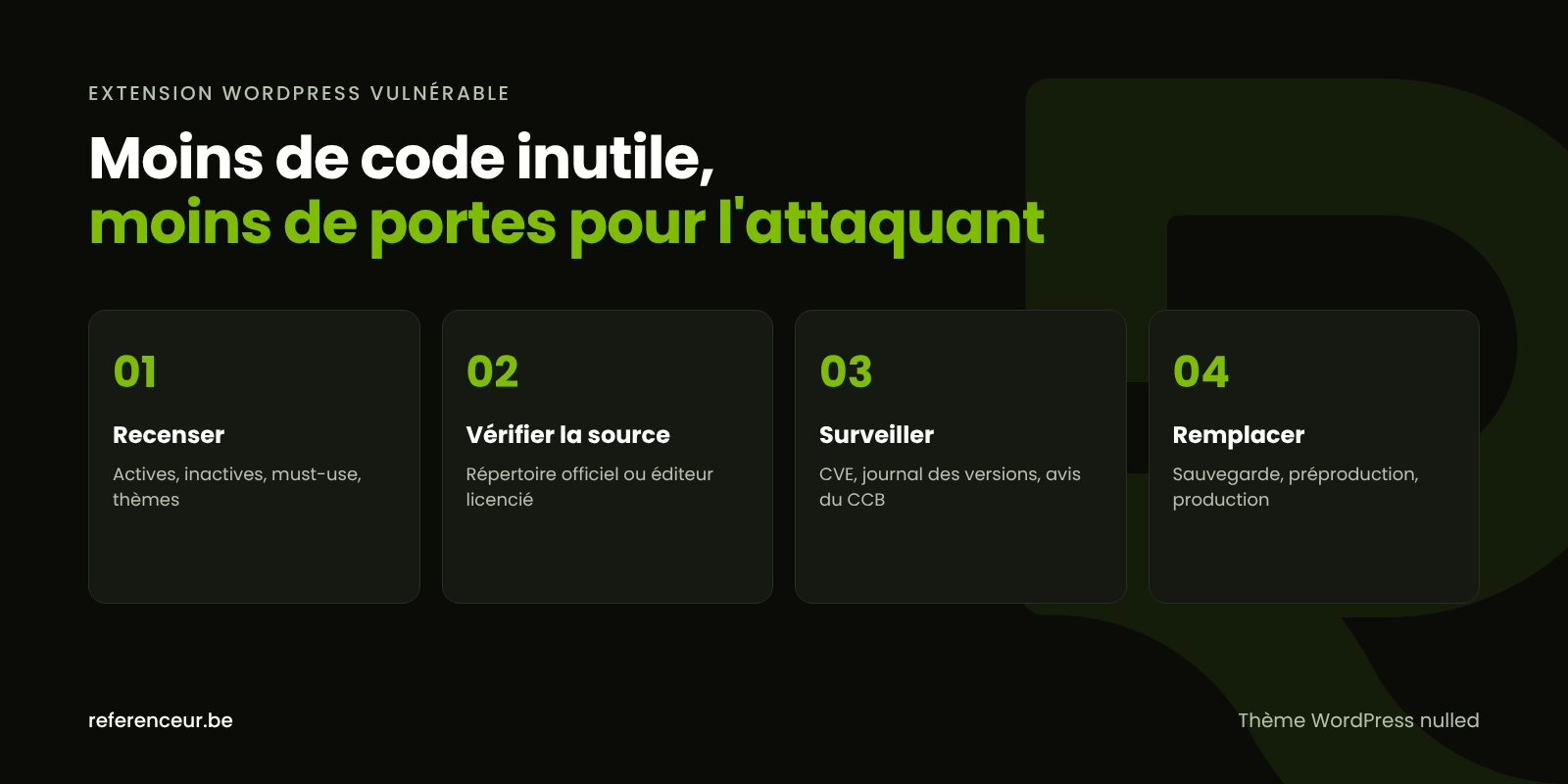
- List everything: active and inactive plugins, must-use plugins, parent theme, and child theme.
- Check the source: the official WordPress.org directory, a developer with an active license, or unknown origin.
- Assess maintenance: last update, stated compatibility, pending updates.
- Decide: keep and update, replace, or delete.
With WP-CLI, three official commands give you the full picture: each plugin’s status and its last update date in the official directory, a comparison of files against the WordPress.org checksums, and then the list of themes.
wp plugin list --fields=name,status,version,update,wporg_status,wporg_last_updated
wp plugin verify-checksums --all
wp theme list
In the official directory, two notices should set off alarms. The first says a plugin hasn’t been tested with the latest three major releases of WordPress and may no longer be maintained; the second says it has been closed and is no longer available for download.
A deactivated plugin still sits on the server, and its files can still be called directly. The official hardening rule is unambiguous: if you don’t use it, delete it.
Tracking Vulnerabilities: CVEs, Developers, and CISA Alerts
Publicly disclosed vulnerabilities receive a CVE identifier and are cataloged in the National Vulnerability Database (NVD). Specialized WordPress vulnerability databases run by security companies also classify them by plugin and by version.
In the U.S., CISA (the Cybersecurity and Infrastructure Security Agency) publishes security advisories and maintains the Known Exploited Vulnerabilities (KEV) catalog, which flags flaws attackers are actively using. Businesses can also sign up for CISA’s email alerts to stay on top of new threats.
For a small business, the habit with the biggest payoff is reading the changelog with every update: a “security fix” entry justifies installing it quickly. The table below turns the most common situations into decisions:
| Situation | Why It’s Risky | Recommended Action |
|---|---|---|
| A pending security fix for a restaurant’s reservation plugin | Public vulnerability, automated exploitation | Back up, then update right away |
| A translation plugin not tested with the latest three major releases | Maintenance has likely stopped | Contact the author and line up an alternative |
| A plugin closed in the official directory | No more patches will be released | Migrate to a maintained solution |
| A payment gateway whose premium license has expired | Updates blocked on a sensitive feature | Renew the license or replace it |
| A theme bought from a sketchy download site | Modified code, possible backdoor | Full scan, cleanup, official version |
| An old form plugin deactivated for years | Exploitable code with no purpose | Delete after backing up |
How to Replace a Component Without Breaking the Site
Before you touch anything, make a complete backup of your files and database, store it off the server, and confirm it restores. Our WordPress backup guide covers the right frequency and the classic mistakes.
Then test the replacement on a staging copy: export the settings, deactivate the old plugin, configure the new one, and check your forms and key pages in every language. Once it’s validated, repeat the process in production and delete the old plugin.
Since WordPress 5.5, auto-updates can be turned on plugin by plugin, and WordPress sends an email after every successful or failed update. Turn them on for simple components and keep manual control over anything that touches payments; our guide to WordPress updates helps you decide.
Your PHP version matters too: according to php.net, the 8.2 branch stops receiving security fixes after December 31, 2026, while the 8.4 and 8.5 branches are under active support. A plugin that blocks a PHP upgrade is a sign it needs replacing, as explained in our article on securing a WordPress site with the right PHP version.
Round this out with the hardening steps recommended by WordPress, including the line define( 'DISALLOW_FILE_EDIT', true ); in wp-config.php, and with our WordPress security hardening tips. Our complete WordPress security guide ties it all together.
A Plugin Audit Conducted Over Video Call
The audit is done entirely remotely: a kickoff session to understand what each feature does, then a screen-sharing review of your Plugins screen and hosting dashboard. You keep control of your credentials and see every decision being made.
You then receive a written triage plan, a recorded training session on updating safely, and, if you’d like, a monthly maintenance check-in with reporting. Référenceur is a European agency that works with U.S. businesses remotely, so the method is the same wherever your business is located.
If an essential feature no longer has a maintained equivalent, custom development can replace it with code you control. And if the site has already been exploited, our hacked WordPress site repair page covers the full service.
Vulnerable WordPress Plugins: Your Questions Answered
How Can I Tell If an Installed Plugin Has a Known Vulnerability?
Start with the Plugins screen: a pending update may include a fix mentioned in the changelog. Then search for the plugin’s name in the NVD or a WordPress vulnerability database, and check CISA’s advisories and KEV catalog. An automated scanner alerts you as soon as a vulnerable WordPress plugin is detected.
Is a Deactivated Plugin Still a Risk?
Yes. Its files remain on the server, and some vulnerabilities can be exploited by calling those files directly, even when the plugin isn’t active. Since it also slips under your radar during updates, it’s better to delete it after a backup than to let it sit there for years.
Can I Clean Up a Nulled WordPress Theme and Keep Using It?
We advise against it. Even after a scan, there’s no guarantee all the injected code was found, and the file will never receive the developer’s patches. Buy the official license or choose an alternative, then clean the site: an installed nulled WordPress theme often means a backdoor is already in place.
My Translation Plugin Is No Longer Maintained. What Should I Do?
On a site in English and Spanish, for example, that plugin touches every page, so don’t swap it out lightly. Check whether a maintained alternative can import your translations, test the migration on staging, and verify the URLs for each language to protect your search rankings. In the meantime, step up monitoring on the site.
Should I Turn On Auto-Updates for Everything?
Not necessarily. They’re a good fit for simple, well-maintained plugins, because they shrink the gap between a patch’s release and its installation. For a WooCommerce store or tightly interconnected plugins, go with updates tested on staging, always preceded by a verified backup.
How Many Plugins Can a Site Safely Run?
There’s no magic number: one poorly maintained plugin is riskier than 20 reputable, up-to-date ones. The right criteria are each component’s necessity, source, and maintenance. That said, fewer plugins means less code to monitor and a smaller attack surface.
Whose Name Should Premium Licenses Be Registered Under?
Ideally your business’s or nonprofit’s name, not the agency that built the site. Ask for a list of licenses, their holders, and their renewal dates: if you switch agencies, the updates keep coming. An expired license blocks patches and gradually turns the component into a vulnerable WordPress plugin.
Not sure your site is clean? Run a free security scan of your WordPress site:
Does your plugin list look like a cluttered attic? Book a short video call: we’ll go through it with you and identify what to update, replace, or delete on your WordPress site.