 0498 70 98 60
WordPress Data Breach: What to Do After Your Site Is Hacked

A hacker got into your WordPress site, and contact form messages, customer accounts, or orders may have been viewed. You could be facing a WordPress data breach, where the technical response and your legal obligations have to move forward together. Here’s the order to follow.
Référenceur, a European digital marketing agency, handles the technical side of the incident for small businesses and nonprofits, from preserving evidence to cleaning up the site, entirely over video call, while you and your attorney handle compliance.
Check your WordPress site’s security: run a free initial scan right now with the tool below.
Important: this page summarizes official U.S. guidance (Federal Trade Commission, CISA, FBI) and the general shape of state breach notification laws. It is not legal advice; talk to a qualified attorney about your specific situation.
Hack vs. Data Breach: Know the Difference
State laws generally define a security breach as the unauthorized acquisition of, or access to, certain categories of personal information, and each state draws the lines a little differently: which data elements count, whether encrypted data is covered, and whether a risk-of-harm analysis applies. A hack isn’t automatically a breach under the law, but it always calls for a closer look.
In WordPress, personal information lives in several places: the users table (usernames, email addresses, hashed passwords), WooCommerce customer accounts and orders, form submissions stored in the database, newsletter sign-ups, and file attachments in wp-content/uploads.
A spam script doesn’t necessarily read those tables. A backdoor with database access, or ransomware, changes the assessment.
WordPress Data Breach: The First Hours
Notification deadlines generally run from the moment you discover the breach, and some states set specific deadlines in their statutes. Your first decisions must preserve the evidence while cutting off the attacker’s access:
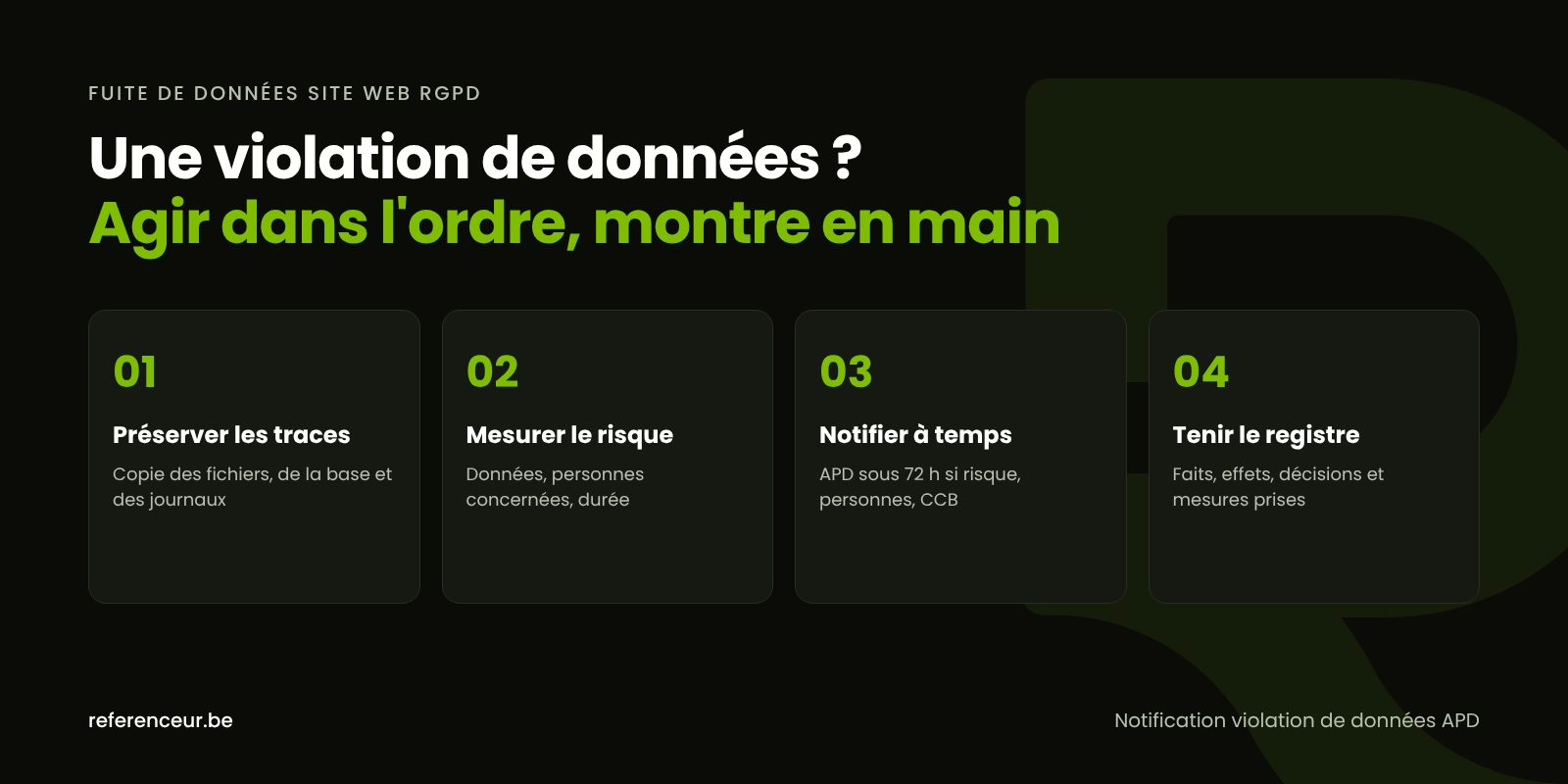
- Preserve the evidence: don’t delete anything and don’t restore a backup yet, because a restore wipes out exactly what tells you what was exposed.
- Copy everything: files, database, and logs, then store that copy off the compromised server.
- Ask your hosting provider for the access and error logs covering the period, before they’re automatically deleted.
- Lock down access: new passwords for administrators, hosting, the database, and SFTP, then new security keys in
wp-config.php. - Measure the scope: which tables, which files, how many people, and since when.
- Assess the risk to the people involved and, with your attorney, decide who needs to be notified.
- Clean up and secure the site, once the evidence is safely stored.
With WP-CLI, these commands flag newly added administrators and modified core files without deleting anything:
wp user list --role=administrator
wp core verify-checksums
Our guide WordPress site hacked? What to do covers technical crisis management; the rest of this page focuses on personal information.
When Do U.S. Breach Notification Laws Apply?
All 50 states, the District of Columbia, Puerto Rico, Guam, and the U.S. Virgin Islands have data breach notification laws. They typically require a business that owns or licenses personal information to notify affected residents when that information is compromised, and the laws that apply usually depend on where the affected people live, not on where your business is based.
Some states also require notice to the state attorney general or another regulator, and to the consumer reporting agencies when a breach affects a large number of residents. Timing rules range from “without unreasonable delay” to fixed deadlines, and law enforcement can sometimes ask you to delay notice so it doesn’t compromise an investigation.
California is a common example: its breach notification statute (Civil Code section 1798.82) lists the data elements covered, and the California Consumer Privacy Act (CCPA, as amended by the CPRA) lets consumers sue over certain breaches caused by a failure to maintain reasonable security. The National Conference of State Legislatures keeps a list of state security breach notification laws.
If your web agency or hosting provider maintains personal information on your behalf, many state laws require it to notify you when it discovers a breach. The duty to notify individuals generally stays with you, as the business that owns the data.
Use the FTC’s Data Breach Response Guide
The Federal Trade Commission’s Data Breach Response: A Guide for Business sets out three priorities: secure your operations, fix vulnerabilities, and notify the appropriate parties. It recommends putting together a response team that can include forensics, legal, IT, communications, and management, and it includes a model notice letter you can adapt with your attorney.
Several of its recommendations translate directly to a WordPress site: take affected systems offline, but don’t shut them down until forensic experts have what they need; update credentials and passwords; remove any personal information that was improperly posted online; and never destroy evidence.
Bring the right people in early. A timely, accurate notice beats a perfect file that goes out too late, and your attorney is the right person to decide which state laws apply.
Who to Notify, and How
| Recipient | When | Channel and timing |
|---|---|---|
| Affected individuals | Personal information covered by a state breach law was compromised | Written notice (often by mail or email), within the time frame set by each applicable state law |
| State attorneys general or regulators | Required by some states, sometimes only above a certain number of affected residents | Each state’s own process; some offer an online form |
| Consumer reporting agencies | Required by some states when a breach affects a large number of residents | As specified by the applicable state law |
| FBI IC3 and local law enforcement | Intrusion, extortion, ransomware, or fraud | Complaint at ic3.gov and a police report, with the evidence you’ve gathered |
| CISA | Any organization can voluntarily report a cyber incident | Online at cisa.gov/report |
| Your client, the data owner | If you’re the service provider (agency, host) | Prompt notice, as required by state law and your contract |
Whatever happens with your WordPress data breach, log the date, time, and content of every exchange.
Informing Affected Customers or Members
When notice to individuals is required, state laws generally spell out what it must contain, such as a description of the incident, the types of information involved, and how to reach you, and some states require additional content. Have your attorney review the final letter.
Use plain, clear language: what happened, what information was involved, what you’re doing about it, and what people can do to protect themselves. Many state laws exempt data that was encrypted, as long as the encryption key wasn’t compromised too; ask your attorney whether that applies to your situation.
Write in the language your customers use, for example English and Spanish if you serve both. Recommend changing passwords and watching out for emails that mention a recent order, because leaked data often fuels targeted phishing. You can also point people to the FTC’s IdentityTheft.gov.
CISA, the FBI, and Industry-Specific Rules
The Cybersecurity and Infrastructure Security Agency (CISA) accepts voluntary incident reports from any organization at cisa.gov/report, and the FBI’s Internet Crime Complaint Center (IC3) takes complaints about intrusions, extortion, and online fraud.
Some sectors have their own rules on top of state law: HIPAA for health information, the FTC Safeguards Rule for certain non-bank financial institutions, and payment card security requirements (PCI DSS) passed down through your payment processor. Most small businesses and nonprofits deal mainly with state law, but confirm this with your attorney.
None of these reports replaces notice to affected individuals where state law requires it, and only law enforcement can open a criminal investigation.
Document the Incident
Even if you conclude that no notice is required, document the incident: what happened, what was affected, and what you did. Some state laws require you to keep a written record of that decision, and regulators or insurers may ask to see it.
Open a file in the first hour: timeline, people affected, risk assessment, and the reasoning behind each decision, including any decision not to notify, with logs and correspondence attached. If you carry cyber insurance, check your policy’s reporting requirements early.
After the Crisis: Clean Up, Harden, Back Up
The cleanup has to remove every backdoor, not just the visible symptoms; our guide to WordPress malware removal walks through the steps.
WordPress security hardening adds two-factor authentication, individual named accounts, and a web application firewall. Tested, off-site WordPress backups then keep you from restoring a copy that’s already infected.
Use the moment to practice data minimization: form submissions don’t always need to stay in your database. The free security scan on this page gives you a first outside look at your site.
Crisis Management by Video Call
A data incident can be handled very effectively remotely: a diagnostic video call frames the situation, then you follow every check over a shared screen.
We write a technical summary that you and your attorney can reuse for your notices, followed by recorded training and a monthly check-in. A temporary, named account is all we need, never your personal passwords.
This approach works just as well for a small business as for a nonprofit, wherever you’re based. Our hacked WordPress site repair page explains how we step in, and our WordPress security guide brings the whole series together.
WordPress Data Breach: Your Questions Answered
Does a Simple Contact Form Put Me in Scope?
Possibly. If messages are stored in your database or pass through a compromised mailbox, names, email addresses, and message content are all personal information. Whether a state law’s notice requirement kicks in depends on which data elements were exposed, but every WordPress data breach should be assessed and documented.
What If a Notification Deadline Has Already Passed?
Don’t wait any longer. Work with your attorney to send the required notices as soon as possible and document when and how you discovered the breach and what caused the delay. A late but well-documented notice is generally far better than no notice at all.
Should My Web Agency Send the Notices for Me?
Generally not. The duty to notify usually falls on the business that owns the data, typically the company or nonprofit that owns the website. Your agency or host, as a service provider, should alert you promptly and can supply the technical details, but the decision and the notices remain yours.
Can Hackers Read Stolen WordPress Passwords?
WordPress doesn’t store passwords in plain text; it stores them as hashes. An attacker can still try to crack them, especially if they’re short or reused elsewhere. As a precaution, force a password reset for the affected accounts and include this point in your risk assessment.
Does My WooCommerce Store Keep Credit Card Numbers?
Usually not: card data is handled by your payment processor, not by WordPress, but check your own setup. Your store does keep addresses, phone numbers, and order histories, so a hacked store calls for a thorough review of the order tables and customer accounts.
Should I Take the Site Offline During the Investigation?
It depends on the attack. If the site is serving malicious code or still exposing data, a maintenance page limits the damage, as long as you’ve first saved a complete copy. A neutral message on the maintenance page is enough to reassure your customers while you investigate.
Can a Small Business Report a Hack to CISA or the FBI?
Yes. CISA accepts voluntary reports from organizations of any size, and the FBI’s IC3 takes complaints from businesses and individuals, even though neither promises a response in every case. These reports aren’t a breach notification under state law: they serve different purposes, and one doesn’t replace the other.
Not sure where your site stands? Run a free security scan of your WordPress site:
Worried that data leaked from your site? Book a short video call: we’ll review the technical situation with you and list what belongs in your breach file.