 0498 70 98 60
WordPress Japanese Keyword Hack: How to Find, Remove, and Deindex Spam Pages

The WordPress Japanese keyword hack rarely shows up on the site itself. It’s a customer puzzled by Google results in Japanese characters, or an employee who stumbles on cut-rate “designer handbag” pages listed under your company name, while your homepage looks perfectly normal when you open it.
Référenceur is a European digital marketing agency, with offices in Belgium and Luxembourg, that helps retailers, professional firms, and small businesses hit by this kind of SEO spam hack run two workstreams side by side: eliminate the cause on the server, then clear the fake pages out of Google’s index. Getting the order right is what makes the whole effort succeed.
Check your WordPress site’s security: run a free initial scan right now with the tool below.
This page is part of our complete WordPress security guide. If you’re still not sure you’ve actually been attacked, start with the telltale signs of a hacked WordPress site, or run the free security scan on this page.
The Japanese Keyword Hack: An Attack Built to Stay Invisible
Google classifies this as a form of content injection: the attacker grafts thousands of auto-generated URLs onto your domain, often filed in randomly named directories. They’re used to sell counterfeit goods or funnel traffic to other sites.
The scheme almost always relies on cloaking, which Google defines as showing different content to users and to search engines. Your browser gets a normal page or a 404 error; Googlebot gets the spam.
Another subtle sign: an unknown owner in Search Console. By verifying your domain with a file or a rule added to .htaccess, the attacker can submit their own sitemaps and get their pages indexed faster.
Take Inventory of the Spam Pages Indexed by Google
Don’t delete anything until you’ve listed the spam pages indexed by Google. That inventory tells you which URLs to monitor, which to hide first, and whether the attack hits a single language or the whole site.
Three sources help you cross-check. Search Console’s Security issues report lists sample URLs when Google has detected hacked content. A site:yourdomain.com search surfaces suspicious directories, and the Performance report sometimes shows Japanese-language queries that have nothing to do with your business.
On a bilingual English-Spanish site, repeat the search for each language directory, since fake pages sometimes slip in there. Finally, test a few URLs with the URL Inspection tool and its live test: it shows the code actually served to Googlebot, cloaking included. Log everything in a spreadsheet.
Shut Down the Spam at the Source, on the Server
Hiding the pages in Google without cleaning the server is a lost cause: they’ll just be regenerated. Start with a full copy of the files and database, kept offline as evidence and never put back into production as is.
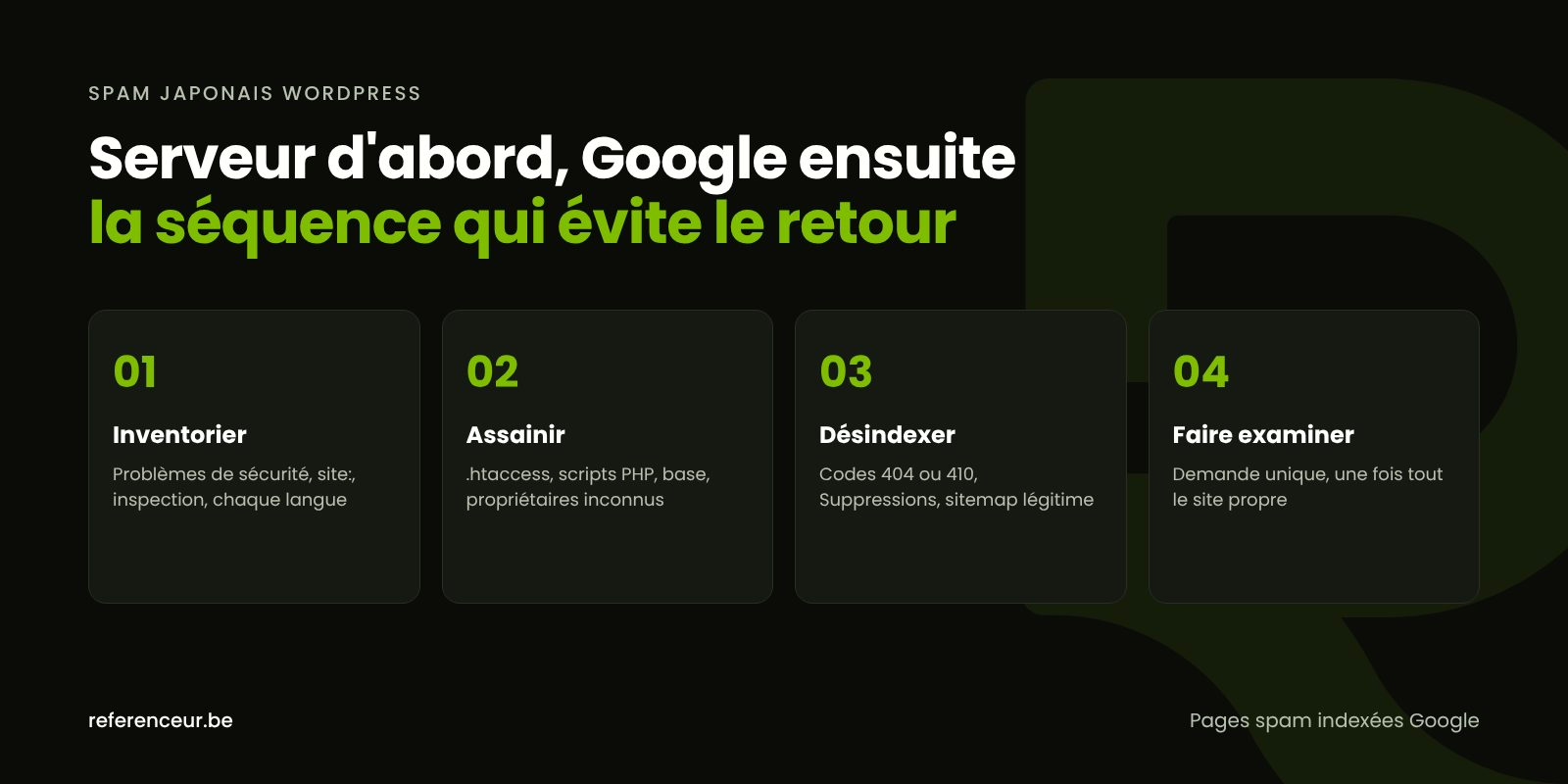
In the cases Google has documented, a RewriteRule in .htaccess routes the spam URLs to a hidden PHP script, and code is added to files such as index.php, wp-load.php, or 404.php. Unreadable blocks calling base64_decode, eval, or gzinflate deserve a close look.
wp core verify-checksums
wp plugin verify-checksums --all
wp post list --post_type=any --orderby=date --order=DESC --posts_per_page=30
The first two WP-CLI commands compare WordPress core and your WordPress.org plugins against their official versions; the third lists the most recently created content, which is handy for spotting a wave of posts you didn’t publish. Our process to remove WordPress malware covers the other places to check.
In Search Console, remove any unauthorized owner, delete their verification file or meta tag, and remove any sitemaps you didn’t submit. Google then recommends checking that a made-up verification token URL correctly returns a 404 error.
Spam Pages Indexed by Google: How to Get Them Out of the Results
Once the source is gone, every fake URL should return a 404 or 410 error. That status code, confirmed by Googlebot when it recrawls, is what permanently drops a page from the index.
| Situation | Right response | What to expect |
|---|---|---|
| Spam URL deleted from the server | Let it return 404 or 410 | Gradual removal as Google recrawls |
| Highly visible results for your brand name | Search Console Removals tool | Temporarily hidden for about six months |
| Sitemap submitted by the attacker | Remove it and submit your own | Crawling refocused on your real pages |
| Tempted to use robots.txt | Don’t block these URLs | Googlebot needs to see the 404 |
| Mass redirect to the homepage | Avoid it | Risk of “soft 404s” and slower removal |
According to Google’s documentation on removing information, the Removals tool only hides a result for about six months; it doesn’t delete it from the index. Save it for the most damaging URLs and let the 404 handle permanent removal.
Next, submit your legitimate sitemap, generated by WordPress or your SEO plugin, for each language if the site is multilingual. That way Google can focus its crawling on your real pages while the fake ones fade away.
The Review Request Comes Last
If Search Console reports hacked content, a review request only makes sense once every page has been fixed. Google is clear that a partial fix doesn’t earn a partial reinstatement.
Write a specific request: what the problem was, what you did, and where things stand now, for example “injected pages deleted, vulnerable plugin updated, unknown owner removed.” According to Google, reviewing a site hacked with spam can take several weeks, so don’t submit a second request until you’ve heard back on the first.
If a red warning also shows up in browsers, our guide to a WordPress site flagged as dangerous by Google explains how to check your domain’s Safe Browsing status.
Lock Down Your Site Against Another Japanese Keyword Hack
These injections most often get in through an outdated plugin or theme, or a reused password. Prevention comes down to four areas.
- Regular updates to WordPress core, plugins, your theme, and PHP, while keeping an eye on vulnerable WordPress plugins.
- Controlled access: unique passwords, two-factor authentication, and as few administrator accounts as possible.
- Backups stored off the server and tested with an actual restore.
- Monitoring: Search Console alerts turned on, plus a monthly check of indexed pages and verified domain owners.
The attack also leaves lasting damage to your SEO: legitimate pages that lost rankings and sketchy backlinks pointing at the fake URLs. Once the site is clean, an SEO audit helps measure that damage and repair it.
Remote Support, Run Over Video Calls
This kind of incident is easy to handle remotely, since everything happens on the server and in Search Console. A kickoff video call lets us confirm access, share the URL inventory, and split the work between you, your hosting provider, and our team.
The cleanup and configuration are then done over screen sharing or with temporary access. Every action is documented in writing and can be reused as is in your review request.
A monthly check-in then tracks the decline of the fake pages and the recovery of your legitimate ones; we work with U.S. businesses entirely remotely. Our hacked WordPress site repair page covers the full service.
Japanese Keyword Hack: Your Questions Answered
Why don’t the Japanese Pages Show Up When I Visit My Site?
Because the malicious script uses cloaking: it detects Googlebot or visitors arriving from a search engine and serves the spam only to them. When you’re logged in to the dashboard or type the address directly, you see a normal site. The live test in the URL Inspection tool shows what Google actually receives and confirms the Japanese keyword hack.
How Long Do Spam Pages Stay Indexed by Google?
Google doesn’t commit to a timeline: it depends on how often your site gets crawled. Once the spam pages indexed by Google return a 404 or 410, they gradually drop out of the results. In the meantime, the Removals tool can hide the most visible ones for about six months while the index catches up.
Is the Spanish Version of My Site Affected Too?
Possibly. On a multilingual site, the injection can target a specific language directory, a subdomain, or the entire domain. Run a site: search on each version, check Search Console’s Pages report, and review every sitemap. A cleanup limited to the English version would leave spam URLs live in the other languages.
Will the Japanese Keyword Hack Hurt My Google Rankings?
Indirectly, yes. As long as Google detects hacked content, it may show warnings or reduce the visibility of the affected pages, and thousands of spam URLs eat into your crawl. For a local business that depends on nearby customers, your reputation takes a hit too: search results in Japanese under your name discourage clicks.
The Attack Came Through a Plugin. Do I Need a New Website?
Not necessarily. If WordPress core, plugins, and theme can be reinstalled from official sources and the database is cleaned, a cleanup is often enough. A rebuild makes sense when the site runs on an abandoned theme, unsupported plugins, or custom code that no one maintains anymore.
Do Data Breach Laws Apply to a Purely SEO Spam Hack?
The Japanese keyword hack targets your search rankings first, but the attacker gained access to your server and may have viewed the database, form submissions, or customer accounts. If personal information may have been exposed, state data breach notification laws could require you to notify affected individuals, and the rules depend on where they live. Talk to a privacy attorney promptly; the FTC’s breach response guide for businesses is a useful starting point.
Not sure your site is clean? Run a free security scan of your WordPress site:
Are Japanese-language or counterfeit listings showing up under your name? Book a short video call: we’ll walk through Search Console, the spam URL inventory, and an action plan tailored to your site, together.