 0498 70 98 60
Google Ads Quality Score: What It Really Measures and How to Improve It
Updated October 31, 2026
Quality Score is one of the most quoted and most misunderstood numbers in Google Ads. Some advertisers obsess over it; others ignore it completely. Both approaches miss the point. Google Ads Quality Score is a diagnostic: a 1-to-10 rating that tells you how your ads, keywords, and landing pages compare with other advertisers on the same keywords. Used well, it points straight at the problems that make your clicks more expensive than they need to be.
This guide explains what Quality Score measures, what it doesn’t do, and the practical changes that tend to improve it.
What Is Google Ads Quality Score?
Quality Score is reported at the keyword level for Search campaigns, on a scale from 1 to 10. Google calculates it from three components, each rated “Above average,” “Average,” or “Below average” compared with other advertisers whose ads showed for the exact same keyword over the past 90 days:
| Component | What it measures | Typical cause of “Below average” |
|---|---|---|
| — | — | — |
| Expected CTR | How likely your ad is to be clicked when shown for that keyword | Ad copy that doesn’t match the search, weak offer, poor positions |
| Ad relevance | How closely your ad matches the intent behind the keyword | Ad groups with too many unrelated keywords, generic headlines |
| Landing page experience | How relevant and useful your landing page is to people who click | Generic homepage destination, slow or confusing page, mismatch with the ad |
If a keyword doesn’t have enough recent impressions on exact searches, Google shows a dash instead of a score. That’s normal for low-volume keywords and doesn’t mean anything is wrong.
What Quality Score Doesn’t Do
Here’s the part many guides get wrong. Google states that Quality Score is not an input in the ad auction. It’s a summary of past performance, aggregated so you can spot issues. The auction itself uses Ad Rank, which is calculated in real time for every search based on your bid, the auction-time quality of your ad and landing page, Ad Rank thresholds, the context of the search (device, location, time, other ads), and the expected impact of your assets.
So why care? Because the same factors that drive a low Quality Score (weak expected click-through rate, irrelevant ads, and poor landing pages) also lower your auction-time quality. That means you pay more per click and win fewer good positions. Improving the underlying problems improves your results; the Quality Score number simply moves with them.
Google also says Quality Score isn’t a key performance indicator. Don’t put it in an executive dashboard or chase a 10 at the expense of conversions. A keyword with a 5 that produces profitable leads is better than a keyword with a 9 that doesn’t.
How to Find Your Quality Score Data
In the Google Ads interface, open the Keywords view and add these columns:
- Quality Score and its three components: Exp. CTR, Ad relevance, Landing page exp.
- Historical versions of the same columns, which show the score as it was on each day of the date range you select.
Sort by cost, not by Quality Score. A low score on a keyword that spends very little doesn’t deserve your attention first. A “Below average” component on your highest-spending keywords does.
How to Improve Quality Score: Component by Component
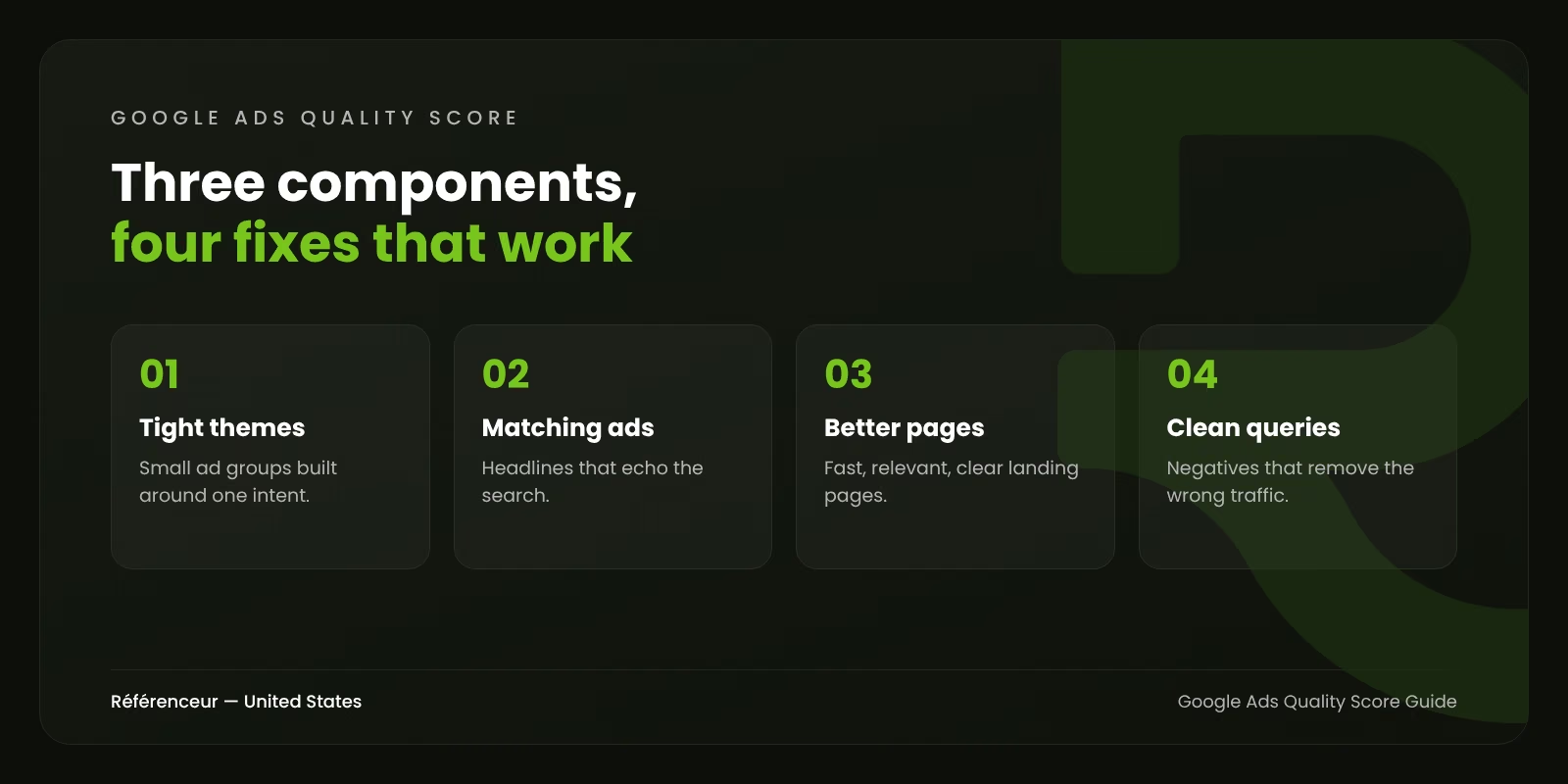
Fixing Expected CTR
Expected CTR reflects how often your ad gets clicked relative to competitors. To improve it:
- Mirror the search in your headlines. If people search “emergency water heater repair,” a headline that says exactly that will outperform “Quality Plumbing Services.”
- Lead with a concrete reason to click: same-day service, a free assessment, a specific benefit, a clear differentiator. Avoid vague claims.
- Use assets fully. Sitelinks, callouts, structured snippets, call assets, and location assets make ads larger and more useful.
- Fix your search terms. If your ads show for loosely related searches, expected CTR suffers. Review the search terms report weekly and add negative keywords.
- Separate brand from non-brand. Branded searches have very high CTRs; mixing them with generic keywords hides problems.
Fixing Ad Relevance
Ad relevance is usually a structure problem. When one ad group contains 40 keywords covering six different services, no single ad can be relevant to all of them.
- Build ad groups around one tight theme or intent.
- Write responsive search ads that use the ad group’s core terms in several headlines. Responsive search ads accept up to 15 headlines and 4 descriptions; give Google enough relevant variety to match different searches.
- Pin sparingly. Pinning headlines can help with compliance messaging, but too much pinning limits the combinations Google can test.
Fixing Landing Page Experience
Landing page experience is often the most valuable fix because it also improves your conversion rate.
- Send clicks to the most specific page possible. A search for “SOC 2 audit services” should land on a SOC 2 page, not on your homepage.
- Match the promise of the ad. If the ad mentions a free assessment, the page should offer it clearly.
- Make it fast and mobile-friendly. Most clicks in many industries come from phones. Check your page with PageSpeed Insights and fix the main Core Web Vitals issues.
- Make the next step obvious: a visible phone number, a short form, a clear call to action.
- Be transparent. Contact information, business details, and clear policies help users trust the page.
Quality Score in the Age of Broad Match and AI Max
Google’s automation has changed how keywords work. Broad match, Smart Bidding, and AI Max for Search campaigns, which Google introduced in May 2025, let Google match ads to searches well beyond your literal keyword list. Quality Score is still reported for keywords, but the searches that actually trigger your ads may differ a lot from the keywords you see in the report.
That makes two habits more important than ever:
- Read the search terms report, not just the keyword report. It shows the real queries behind your clicks, and it’s where you find irrelevant traffic.
- Keep landing pages and assets broad enough to serve the variety of searches automation will match, while still specific enough to be relevant. If you use final URL expansion, check which pages Google is sending traffic to.
Quality Score Myths Worth Dropping
“Quality Score is account-wide.” It’s reported per keyword. There’s no official account-level Quality Score, although poor historical performance across an account clearly doesn’t help.
“Pausing low Quality Score keywords fixes the account.” Sometimes those keywords are your best converters. Look at cost per conversion first.
“Ad Strength and Quality Score are the same thing.” Ad Strength rates how well a responsive search ad follows best practices, such as headline variety. It’s a separate guide to ad creation, not a measure of auction performance.
“Higher bids improve Quality Score.” Bids affect position and impression share, not the quality components. Better positions can lift CTR somewhat, but buying a higher score doesn’t work.
A Simple Monthly Quality Score Routine
- Export keywords with cost, conversions, Quality Score, and the three components for the last 30 days.
- Filter to keywords responsible for most of your spend.
- For each “Below average” component, apply the fix above: copy for CTR, structure for relevance, pages for landing page experience.
- Track historical Quality Score columns over the next month to confirm the change.
- Judge success on cost per conversion and conversion volume, not on the score itself.
For more on structuring campaigns from scratch, see our guide to planning a digital ad campaign. Advertisers in specialized markets with little search volume can read about Google Ads for niche markets, where scarce data changes the rules.
Want a Second Opinion on Your Account?
Quality Score problems usually reveal deeper issues in structure, tracking, or landing pages. Our Google Ads agency team audits accounts with that in mind. We’re a Google Partner in Belgium and Luxembourg, and we review U.S. accounts remotely with you on a shared screen. Request a free assessment to see where your account loses efficiency.
Frequently Asked Questions About Google Ads Quality Score
What Is a Good Quality Score in Google Ads?
Scores of 7 or above generally indicate that your ads and pages are competitive for that keyword. But “good” depends on context: branded keywords often score high, while competitive generic terms may sit lower even in well-run accounts. Focus on fixing “Below average” components on high-spend keywords.
Does Quality Score Affect Cost per Click?
Not directly, because Quality Score isn’t used in the auction. But the factors behind it (expected CTR, ad relevance, and landing page experience) are assessed at auction time and affect Ad Rank, which influences what you pay and where you appear.
How Long Does It Take for Quality Score to Change?
Quality Score is based on recent performance and updates as new data comes in. Expected CTR and landing page improvements often show within a few weeks on keywords with enough volume. Low-volume keywords may take longer.
Why Does My Keyword Show No Quality Score?
A dash appears when there aren’t enough recent impressions on searches that exactly match the keyword. It’s common for long-tail and low-volume keywords.
Is Quality Score Used for Performance Max or Display Campaigns?
No. Quality Score is reported for keywords in Search campaigns. Other campaign types use different quality signals that aren’t shown as a 1-to-10 score.
Should I Delete Keywords With a Low Quality Score?
Not automatically. Check their conversions and cost per conversion first. Improve the ad and landing page if the keyword is relevant, and pause it only if it consistently performs poorly.