 0498 70 98 60
Google Ads Conversion Tracking: The Complete Setup Guide for 2026
Updated October 31, 2026
Every automated bidding strategy in Google Ads, from Maximize Conversions to Target ROAS to Performance Max, learns from one thing: the conversions you report. If the data is wrong, incomplete, or measures the wrong actions, Google’s automation will confidently optimize toward the wrong result. Good Google Ads conversion tracking is the difference between an account that improves over time and one that spends more to get less.
This guide walks through what to track, how to set it up, how to make it more accurate with enhanced conversions and offline imports, and the mistakes we see most often in account audits.
Step 1: Decide What Counts as a Conversion
Before touching any tags, define what success means for your business. A conversion should be an action that reliably leads to revenue.
| Business type | Primary conversions | Secondary conversions (observe only) |
|---|---|---|
| Ecommerce | Purchases with order value | Add to cart, begin checkout, newsletter sign-up |
| Local services | Qualified calls (with minimum duration), quote requests, bookings | Direction clicks, page views of the contact page |
| B2B and SaaS | Qualified leads or opportunities imported from the CRM, demo requests | Content downloads, pricing page views |
| Professional firms | Consultation requests, qualified calls | Email clicks, brochure downloads |
Google Ads separates primary conversion actions, which are used for bidding and appear in the Conversions column, from secondary actions, which you can observe without letting them steer bids. Keep primary actions few and meaningful. A common mistake is setting everything as primary, so a newsletter sign-up teaches the algorithm as much as a sale.
Assign values. Even for lead generation, values help. If a quote request is worth more than a brochure download, say so. Value-based bidding works far better when values reflect real business impact.
Step 2: Choose How to Track Each Action
Google Ads supports several sources of conversion data:
- Website conversions through the Google tag, installed directly or through Google Tag Manager.
- Phone calls, including calls from call assets on your ads and calls to a Google forwarding number displayed on your website, with a minimum call duration you set.
- Imports from Google Analytics 4, where key events (GA4 renamed “conversions” to “key events” in March 2024) can be imported into Google Ads.
- Offline conversion imports from your CRM or other systems, for actions that happen after the click, such as a qualified lead or a closed sale.
- App conversions through Firebase or third-party app analytics.
Native Google Ads tags or GA4 imports? Both work. Native Google Ads conversion tags tend to report faster and support features like enhanced conversions directly. GA4 imports are convenient if your analytics setup is already solid. What matters most is avoiding duplicates: don’t count the same purchase through both a Google Ads tag and a GA4 import as primary actions.
Step 3: Install the Tags Correctly
For website conversions:
- Install the Google tag on every page, or deploy it through Google Tag Manager.
- Fire conversion events at the right moment: on the thank-you page after a successful form submission, or on the order confirmation page with the transaction value and ID. Avoid firing on button clicks, since a click doesn’t mean the form went through.
- Pass dynamic values for purchases, and a transaction ID to prevent duplicate counting when a confirmation page reloads.
- Set the counting method: “Every” for purchases, “One” for leads, so a single person submitting a form twice counts once.
- Set the conversion window to match your sales cycle. Click-through windows can range from 1 to 90 days.
- Test with Tag Assistant and Google Ads’ conversion diagnostics, then complete a real test conversion and confirm it records.
Step 4: Add Enhanced Conversions
Browsers, privacy settings, and cross-device behavior mean that some conversions are never connected to the ad click that caused them. Enhanced conversions improve that matching. When a customer completes a conversion, first-party data they provided, such as an email address or phone number, is hashed with SHA-256 before it’s sent to Google, and Google uses it to match the conversion to a signed-in user who interacted with your ad.
- Enhanced conversions for web improve tracking of online purchases and form submissions.
- Enhanced conversions for leads connect leads captured on your website with later offline events, such as a sale, without relying solely on click IDs.
Setup is possible through the Google tag, Google Tag Manager, or the API. Update your privacy notice to describe the data sharing, and review it with counsel.
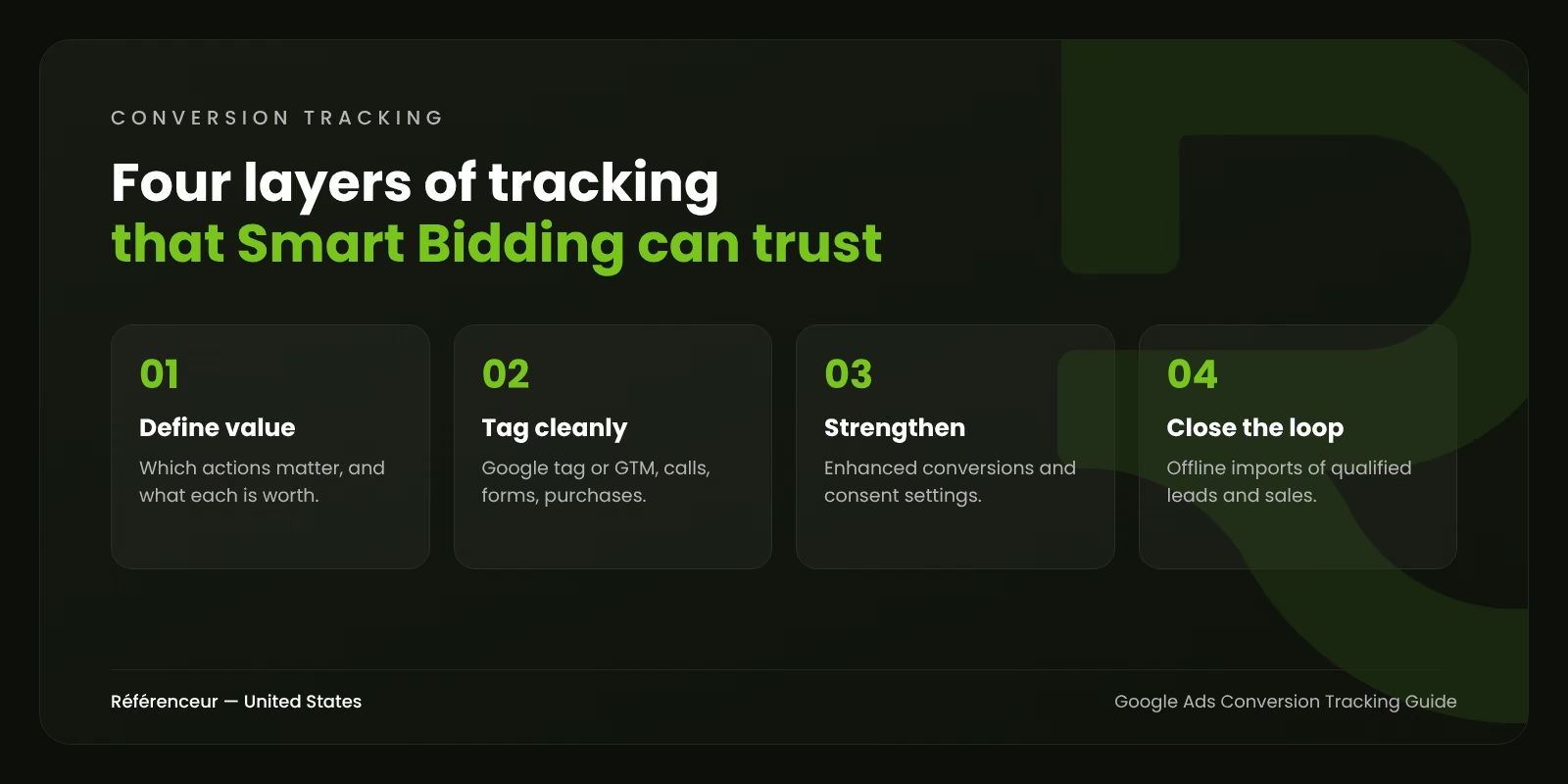
Step 5: Close the Loop With Offline Conversion Import
For lead generation, the most valuable information isn’t on your website at all. It’s in your CRM: which leads were qualified, which became opportunities, which closed, and for how much. An offline conversion import sends those outcomes back to Google Ads.
The basic flow:
- Capture the Google click identifier (GCLID) and, with enhanced conversions for leads, hashed contact data when the form is submitted.
- Store them in your CRM with the lead record.
- When the lead reaches a meaningful stage, such as sales-qualified or closed-won, send that event to Google Ads with a value, through a native CRM integration, Google Ads Data Manager, scheduled uploads, or the API.
- Set the imported stages as primary conversions once enough volume builds up, and move raw form fills to secondary.
The effect can be dramatic. Bidding stops chasing the cheapest form fills and starts favoring the searches and audiences that produce real customers. For campaigns with long sales cycles, import several stages with different values, so the algorithm gets enough signals to learn.
Step 6: Understand Attribution
Google Ads now offers two attribution models: data-driven, the default, and last click. In 2023, Google removed the older rule-based models (such as first click, linear, and time decay). Data-driven attribution distributes credit across the ad interactions that contributed to a conversion, based on your account’s data.
Remember that Google Ads attribution only sees Google Ads interactions. Your CRM, GA4, and other platforms will each tell a slightly different story. Pick one source of truth for business reporting, and use Google Ads conversion data mainly to guide bidding. Our article on GA4 attribution models explains how Analytics assigns credit differently.
Privacy and Consent in the U.S.
U.S. tracking rules differ from Europe’s. There’s no single federal privacy law; instead, a growing number of states, such as California with the CCPA as amended by the CPRA, give consumers rights such as opting out of the sale or sharing of personal information. Google Ads offers a restricted data processing option that limits how Google uses data for users in states with these laws. If you also have visitors from the European Economic Area, Google requires consent signals through Consent Mode for those users.
How these rules apply to your business depends on your size, data practices, and where your customers live. This isn’t legal advice; your attorney should confirm what your site needs.
The Most Common Conversion Tracking Mistakes
- Counting page views or button clicks as conversions, which inflates numbers and trains bidding on noise.
- Duplicates from overlapping Google Ads tags, GA4 imports, and third-party tools.
- Every call counts, including 10-second hang-ups and existing customers calling support.
- No values, so a brochure download looks as valuable as a signed contract.
- Broken tracking after a website update, with nobody noticing for weeks. Check conversion status weekly.
- Spam leads counted as conversions, which teaches bidding to find more spam. Use form validation and, ideally, offline qualification.
If you’re planning campaigns from scratch, our guide on how to plan a digital ad campaign covers the steps before tracking. For audience-based strategies that rely on good data, see our article on Google Ads remarketing lists.
Need a Conversion Tracking Audit?
In nearly every account audit we run, tracking is where the biggest gains hide. Our Google Ads agency team reviews and rebuilds tracking before touching bids or budgets. As a Google Partner operating from Belgium and Luxembourg, Référenceur audits U.S. accounts remotely, walking you through findings on a shared screen. Request a free assessment to check whether your conversions tell the truth.
Frequently Asked Questions About Google Ads Conversion Tracking
Should I Use Google Ads Conversion Tags or Import From GA4?
Either can work. Native Google Ads tags report faster and support enhanced conversions directly; GA4 imports are convenient if your analytics is well configured. Avoid counting the same action through both as primary conversions.
What Are Enhanced Conversions in Google Ads?
A feature that sends hashed first-party data, such as email addresses, with a conversion so Google can match it to ad interactions more accurately. It improves measurement when cookies or click IDs are missing.
How Do I Track Phone Calls From Google Ads?
Use call assets for calls from ads and Google forwarding numbers on your website for calls after a click. Set a minimum call duration that reflects a real conversation, and consider call tracking software that records outcomes.
What Is an Offline Conversion Import?
It’s a way to send events that happen outside your website, like a qualified lead or a closed deal in your CRM, back to Google Ads, matched to the original ad click, so bidding learns which clicks generate revenue.
Why Are My Google Ads Conversions Different From GA4?
The platforms use different attribution models, conversion windows, counting rules, and timing. Some difference is normal. Large gaps usually point to duplicate tags, missing tags, or import issues.
How Long Until Smart Bidding Adapts to New Conversion Data?
Usually a few weeks, depending on conversion volume. Make major tracking changes deliberately, and avoid adjusting targets at the same time, so you can see the effect clearly.