 0498 70 98 60
Signs Your WordPress Site Has Been Hacked: A Checklist to Act Fast

A hack rarely announces itself with a defaced homepage: the clues are usually subtle, and sometimes invisible from your own computer. This checklist of the signs your WordPress site has been hacked helps you spot them before your customers, Google, or your hosting provider point them out to you.
Référenceur is a European digital marketing agency, with offices in Belgium and Luxembourg, that helps small businesses, solo professionals, and nonprofits reach a reliable diagnosis, working through it with them over video calls, then choose the measures that actually fit what was found.
Check your WordPress site’s security: run a free initial scan right now with the tool below.
A free security scan is available on this page for a first check. If the intrusion is confirmed, move on to our WordPress site hacked: what to do plan; for prevention, read our WordPress security guide, or let us handle the check through our hacked WordPress site repair service.
Signs of a Hacked WordPress Site Your Visitors Can See
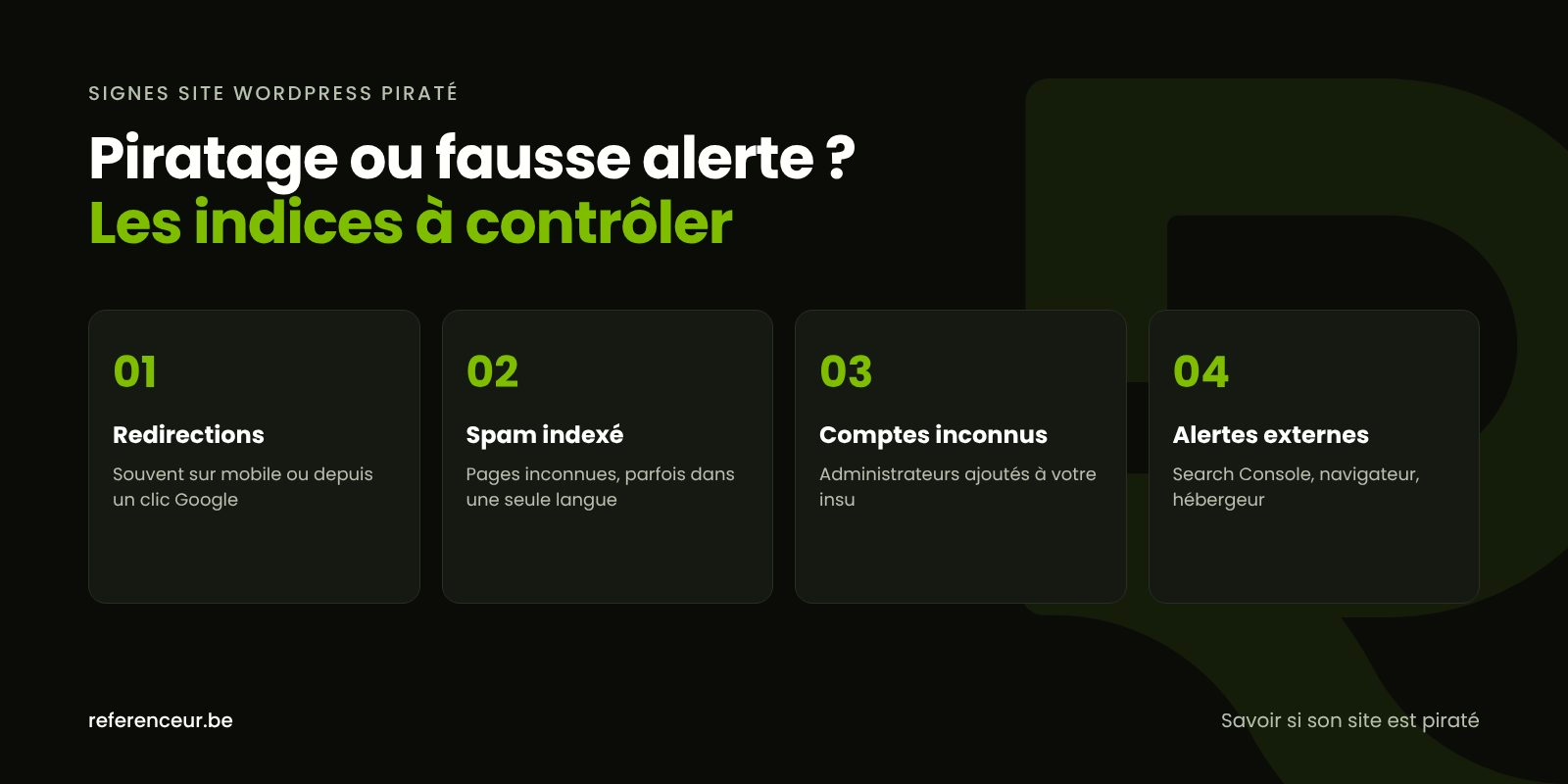
The most common symptom is still a malicious redirect: a visitor lands on your site and ends up on a fake sweepstakes, a shady online pharmacy, or a bogus tech support page. It often fires only on mobile, only from a Google result, or only once per visitor, which is why you don’t see it when you type in your own address.
So test from a smartphone, in a private browsing window, by clicking through to your site from the search results. Our article on the WordPress redirect hack shows where this code usually hides.
Other clues show up on screen: links or text added to the footer, pop-up ads you never installed, a fake payment form, or a red warning page in the browser. According to Google, Chrome may also label the site as dangerous in the address bar.
A sudden slowdown, with no changes on your end, can point to a cryptocurrency mining script (a type of code injection Google specifically mentions) or a mass spam run that’s draining server resources.
What Google and Search Console Reveal
Type site:yourdomain.com into Google. Pages in Japanese, or titles about prescription drugs, knockoff goods, or casinos, are a sign of content injected into your domain. Google notes that this spam can be hidden from visitors and served only to its crawler: that’s cloaking, and it’s why the page looks normal to you.
If your site has multiple language versions, repeat the search for each one, for example on a /es/ subdirectory: a rarely visited version can host spam for weeks. This common scenario is covered in our guide to the Japanese keyword hack.
In Search Console, open the Security issues report: Google distinguishes between content injection, URL injection, code injection, and malware, with sample URLs for each. The indexing and Performance reports can also reveal a surge of pages or queries unrelated to your business, which is why regular web analytics monitoring pays off.
To see whether Google considers your domain dangerous, the Safe Browsing site status tool in Google’s Transparency Report shows a public status. If there’s a warning, follow our guide for a WordPress site flagged as dangerous by Google.
Clues in the Dashboard and on the Server
In the dashboard, open Users and filter by the Administrator role. An account no one recognizes, even one with a harmless-looking name, is a serious red flag. Do the same with your plugins, and be suspicious of any generic name with no identifiable author.
On the server side, the goal is to compare files against the originals and look for PHP where it doesn’t belong. If you or your developer have SSH access with WP-CLI, these official commands are a good place to start:
wp core verify-checksums
wp user list --role=administrator
wp cron event list
find wp-content/uploads -name "*.php"
A warning from the first command means a core file has been modified or added. Scheduled tasks with strange names, PHP files among your media, or recent files in folders nobody ever touches are all leads worth following.
Warning Signs That Come From the Outside
- Rejected messages: your emails land in spam or bounce, because your server was used to send spam and ended up on a blocklist.
- Your host suspends the account or warns you about a malicious file it detected.
- Abnormal usage of server resources, bandwidth, or disk space.
- Customers or vendors tell you about a browser warning or a suspicious email sent in your name.
- Strange accounts or orders on a WooCommerce store, or bogus reservations on a restaurant’s website.
On its own, none of these signs of a hacked WordPress site proves an intrusion; two or three together, however, justify a thorough investigation.
How to Tell If Your Website Has Been Hacked: A Quick Reference
To tell if your website has been hacked without panicking, match each symptom to a simple check and the right first move.
| What you notice | Where to check | First move |
|---|---|---|
| Visitors sent to another site | Smartphone, private browsing, click-through from Google | Take screenshots, then put up a maintenance page |
| Unfamiliar pages in Google | site: search for each language, plus Search Console | Copy the site as is before deleting anything |
| An administrator no one recognizes | Users menu, Administrator role | Record the account details, then reset every credential |
| Browser warning screen | Security issues report | Clean the site completely, then request a review |
| Emails bouncing back | Bounce message, host alert | Notify your host, change your email passwords |
| Site suddenly very slow | Your host’s resource usage stats | Look for recent files and scheduled tasks |
A Sign Is Confirmed: Next Steps
The diagnosis is only the starting point. As soon as a symptom is confirmed, don’t delete anything until you’ve copied the files and database; notify your host and change your passwords from a clean device, starting with hosting and email.
Don’t restore a backup without confirming it predates the intrusion, and never reinstall a premium plugin downloaded from anywhere other than the developer’s site. If personal information may have been accessed, state data breach notification laws may require you to notify affected individuals; the rules vary by state, so check with a privacy attorney.
Once the site is clean, regular updates, a supported PHP version, and tested backups greatly reduce the risk of a repeat attack. Done monthly, these checks let you tell whether your website has been hacked long before a customer notices.
A Remote Check Over a Shared Screen
Spotting these signs means having the right screens in front of you. Over a video call with screen sharing, we go through your dashboard, Search Console, and your hosting account together: you see what we’re checking, and why.
The session can be recorded, so you have a reference for running the checks yourself during monthly maintenance. We’re a European agency that works with U.S. businesses entirely remotely, and this format works just as well for a solo consultant as for a nonprofit or a local retailer: no travel, just a meeting link.
Signs of a Hacked WordPress Site: Your Questions
My Site Looks Normal on My Computer. Could It Still Be Hacked?
Yes. Many infections are conditional: they spare logged-in administrators, returning visitors, or desktop computers, and the spam may be shown only to Google’s crawler. To tell if your website has been hacked, test from a phone in a private browsing window and check Search Console.
Is a site: Search Enough to Detect a Hack?
It mainly reveals indexed spam pages, not backdoors, hidden accounts, or scripts aimed at specific visitors. Combine it with the Security issues report, the list of administrators, and a file integrity check of core and plugins, for every language version of the site.
Google Hasn’t Sent Me Any Alert. Am I in the Clear?
Not necessarily. Search Console only notifies verified owners and users of the site, and an infection isn’t always detected right away. If your domain isn’t verified in Search Console yet, do it now: it’s one of the main channels Google uses to report a security problem.
Does an Unknown Administrator Always Mean a Hack?
Not always: it could be an account created by a former contractor or by a plugin. Check its creation date and the associated email address. If no one recognizes it, treat it as a serious sign of compromise: reset every credential and find out how it was created.
My Antivirus Doesn’t Detect Anything. Is That a Good Sign?
No. The antivirus on your computer protects your computer, not the server WordPress runs on. Malicious code injected into a website is often obfuscated and only activates under certain conditions. Only a server-side scan of both the files and the database can give you a definitive answer.
Where Do I Report a Hacked Website in the U.S.?
You can file a complaint with the FBI’s Internet Crime Complaint Center (IC3) at ic3.gov, and CISA accepts voluntary incident reports from any organization. If scammers are sending phishing emails in your name, forward them to [email protected] and report them to the FTC at ReportFraud.ftc.gov. Local law enforcement can also take a report.
Which Signs of a Hacked WordPress Site Call for Immediate Action?
A redirect to a scam site, a browser warning, a tampered checkout page, or exposed customer data. In those cases, protect your visitors first with a maintenance page, copy the site in its current state, then follow the emergency plan without delay.
Not sure your site is clean? Run a free security scan of your WordPress site:
Worried about a symptom? Schedule a free video call: we’ll check with you, over a shared screen, whether your WordPress site has been compromised and what to do next.