 0498 70 98 60
WordPress Security Hardening: 10 Priorities for Small Businesses

Want to lock down your small business, professional firm, or nonprofit website before an incident forces your hand? WordPress security hardening covers the settings that shrink your attack surface: fewer unnecessary permissions, fewer exposed files, and better audit trails. Here are the priorities, plus what’s on you and what’s on your hosting provider.
Référenceur, a European digital marketing agency with offices in Belgium and Luxembourg, helps businesses audit and then strengthen their WordPress installation, working remotely and in coordination with their hosting provider.
Check your WordPress site’s security: run a free initial scan right now with the tool below.
One non-negotiable prerequisite: a site that’s already compromised has to be cleaned before it’s hardened. Strange redirects, pages full of Japanese text, an unknown admin? Start by removing the WordPress malware while preserving the evidence, then come back to close off access.
WordPress Hardening: What the Term Actually Covers
Updates fix known vulnerabilities; hardening limits the damage when a flaw hasn’t been patched yet, a password has leaked, or a plugin has been abandoned.
The official Hardening WordPress documentation organizes these measures in layers: server, database, file system, accounts, and logging. We apply it to typical small business sites: brochure sites for independent professionals, restaurant reservation sites, WooCommerce stores, and multilingual sites.
For organizations that collect personal information through forms or customer accounts, these settings also support the reasonable security expectations set by the FTC and by a growing number of state laws.
Three Prerequisites Before You Change Anything
First, a complete, verified backup: files and database, stored off the server. Our WordPress backup guide explains how to test a restore.
Second, a staging copy whenever possible: a misconfigured header or permission can break a reservation form or your checkout flow. Third, an access inventory: who has an admin account, SFTP access, database access, or access to the hosting control panel?
WordPress Hardening Checklist: 10 Priorities in Order
Work through them in this order, from the most common risk to the most specific.
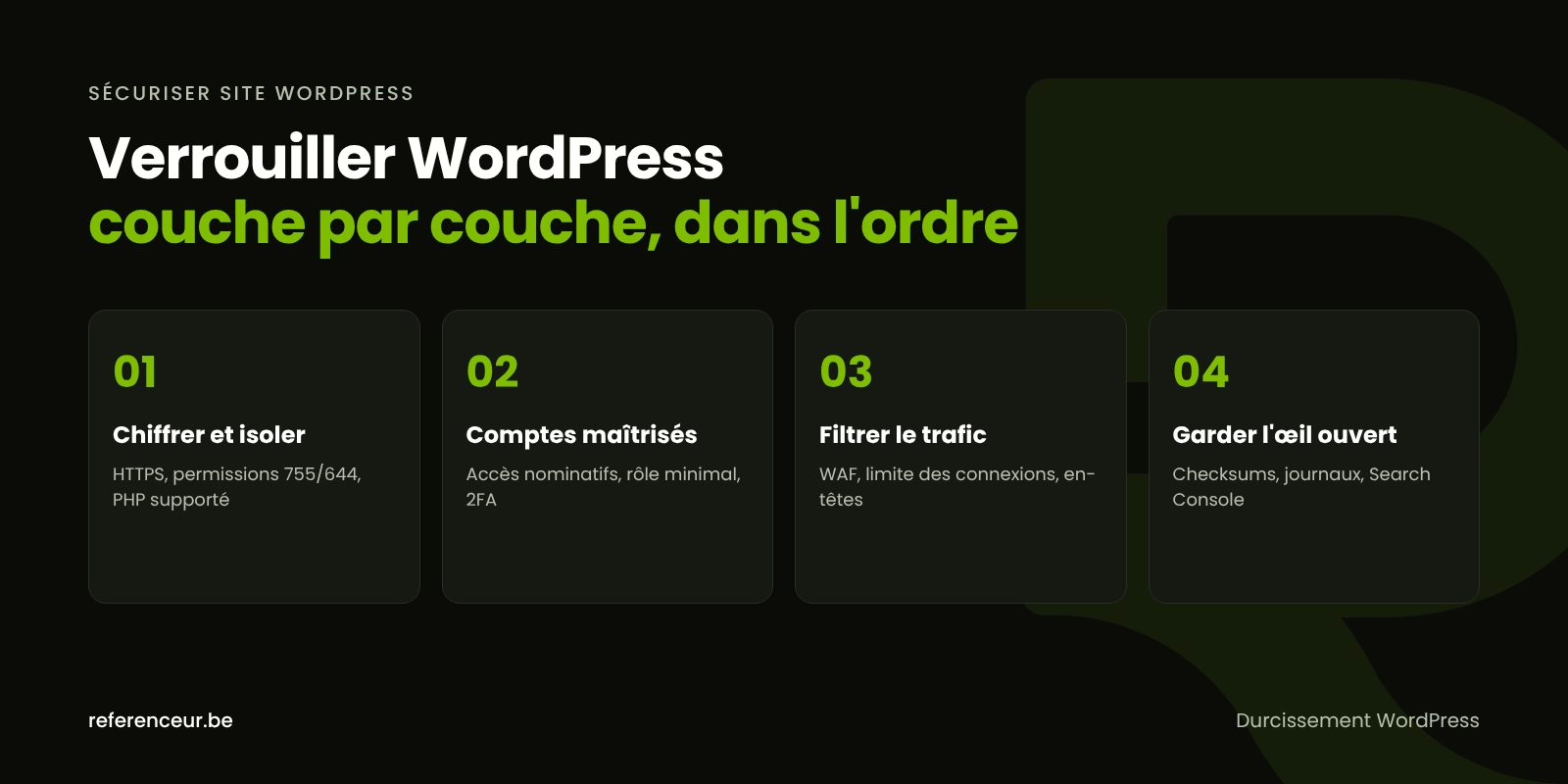
- HTTPS everywhere: a valid certificate, a 301 redirect from HTTP to HTTPS, and https site addresses under Settings > General. The
FORCE_SSL_ADMINconstant enforces encryption for logins and the admin area. - File permissions: 755 for directories and 644 for files, as the WordPress documentation recommends, and 440 or 400 for
wp-config.phpwhen your hosting allows it. - Code editor turned off with
DISALLOW_FILE_EDIT: an admin whose account is stolen can no longer modify themes and plugins from the dashboard. - Keys and salts regenerated after any incident or when a contractor leaves: existing session cookies become invalid and everyone has to log in again.
- Two-factor authentication (2FA) for every administrator and store manager. WordPress core doesn’t include it, so it comes from a reputable plugin or an identity provider.
- Login attempt limits on
wp-login.php, ideally at the server or firewall level, andxmlrpc.phpdisabled if no application uses it. - Web application firewall (WAF) placed in front of the site or built into the server, to filter malicious requests before they ever reach WordPress.
- HTTP security headers: HSTS,
X-Content-Type-Options: nosniff,Referrer-Policy,Permissions-Policy, and then a Content Security Policy built up gradually. - A thorough cleanup: inactive themes and plugins deleted, not just deactivated; error display turned off in production; former contractors’ accounts closed.
- Audit trail: access and error logs retained, an alert whenever an admin account is created, and regular file integrity checks.
Priorities 1, 3, and 9 are partly handled in wp-config.php, above the line that reads “That’s all, stop editing!”:
define( 'DISALLOW_FILE_EDIT', true );
define( 'FORCE_SSL_ADMIN', true );
define( 'WP_DEBUG', false );
define( 'WP_DEBUG_DISPLAY', false );
The DISALLOW_FILE_MODS constant goes further by also blocking plugin installs and updates from the admin dashboard. Reserve it for sites where WordPress updates run through WP-CLI or an automated deployment.
Logins, Firewalls, and Headers: The Tricky Settings
The OWASP HTTP Headers Cheat Sheet is the go-to reference: nosniff, a strict-origin-when-cross-origin referrer policy, and the CSP frame-ancestors directive to keep your pages from being displayed inside an external frame. It advises against relying on the legacy X-XSS-Protection header.
HSTS calls for caution: once the browser receives the header, it refuses plain HTTP for the entire stated duration. Turn it on only when your whole domain runs on HTTPS, subdomains included if you use includeSubDomains.
For logins, the WordPress documentation on brute-force attacks recommends blocking as close to the network as possible, because a PHP plugin uses server resources on every attempt.
What to Require From Your Hosting Provider
Part of hardening is outside WordPress’s control. First, your PHP version: according to php.net, the 8.4 and 8.5 branches are under active support, 8.3 now receives security fixes only, and 8.2 reaches end of life on December 31, 2026. Our article on PHP versions and WordPress security explains how to migrate without breaking anything.
Second, per-site isolation: a separate system user, database, and set of credentials for each site. Five sites under one FTP account means a breach on one can spread to all five.
Third, access and backups: SFTP instead of FTP, a database user with restricted privileges, backups stored off the server, and access to your logs. Wherever your host is located, get these commitments in writing.
Responsibility Matrix: Who Handles What
| Area | What You Can Do | What to Require From Your Host or Provider |
|---|---|---|
| Encryption and HSTS | Check the https addresses under Settings > General | Certificate renewal, 301 redirect, HSTS enabled with care |
| wp-config.php and files | Add DISALLOW_FILE_EDIT, regenerate the keys | 755/644 permissions, wp-config.php set to 440 or 400 |
| Users | Delete dormant accounts, turn on 2FA | Revoke former contractors’ SFTP and database access |
| Logins and firewall | Long passwords stored in a password manager | Rate limiting on wp-login.php, WAF, xmlrpc.php closed |
| Server and PHP | Check the version under Tools > Site Health | Supported PHP branch, isolation for every site |
| Logs and backups | Test a restore on a copy | Logs retained, off-server backups |
Keep this table handy for your next conversation with your hosting provider: every row you check off is a concrete step toward a secure WordPress site, without depending on a single vendor.
Spot an Intrusion Before Your Customers Do
A hardened site is still exposed; what matters is finding out fast when something changes. If your hosting gives you WP-CLI access, these official commands compare your files with the published releases and list your administrators:
wp core verify-checksums
wp plugin verify-checksums --all
wp user list --role=administrator
A modified core file, an unknown admin, or a PHP file in wp-content/uploads should trigger an immediate investigation. Add Google Search Console for its alerts, and use the free security scan on this page as a first external check.
Mistakes That Undo All Your Work
The costliest one: installing a “nulled” theme or plugin, meaning one cracked to bypass the license. The modified code often contains the very backdoor you’re trying to close.
Other traps: restoring a backup that’s already infected, or sending passwords by email and never changing them. Hardening only works alongside regular maintenance: updates, account reviews, restore tests, and log reviews.
Support Delivered Entirely Over Video Call
Référenceur is a European agency that works with U.S. businesses remotely, and hardening a WordPress site doesn’t require anyone on-site: a video kickoff session inventories your plugins, accounts, and hosting, and then every setting is applied over a shared screen, right in front of you.
You stay in control: we use a temporary named account, and afterward a recorded training session and a monthly check-in with reporting keep things on track.
The same format works for a retail shop, an accounting firm, or a nonprofit, wherever you’re based. If your site has already been hit, our hacked WordPress site repair page describes our emergency service, our complete WordPress security guide brings the whole series together, and our web design agency team handles new projects.
WordPress Hardening: Answers to Common Questions
Doesn’t My Hosting Provider Already Handle Security?
Only partly: your host protects the infrastructure, but your plugins, accounts, and passwords remain your responsibility. Ask them in writing what their plan covers: isolation, backups, firewall, logs. The rest of your WordPress hardening is up to you and your web developer or agency, using the table above.
Is a Multilingual Site Harder to Protect?
Not fundamentally, but it often has more plugins (translation, language-specific forms) and more users. Every extra plugin has to be maintained, and every translator should have a named account with a limited role. Also make sure every language domain or subdomain runs on HTTPS before you turn on HSTS.
Is DISALLOW_FILE_EDIT Enough to Stop a Hacker?
No. This constant closes just one door: editing code from the dashboard. A vulnerable plugin can still be used to drop a malicious file. For long-term protection, it works alongside updates, two-factor authentication, a web application firewall, and integrity checks, never in place of them.
Does U.S. Law Require Me to Harden My Site?
No U.S. law lists WordPress settings, but the FTC can treat inadequate data security as an unfair or deceptive practice, and several states require businesses that hold residents’ personal information to maintain reasonable security measures. A site with forms, sign-ups, or customer accounts is squarely in scope. This guide isn’t legal advice; if an incident occurs, state breach notification laws may also apply. Our guide on what to do after a WordPress data breach explains the first steps, and a qualified attorney can tell you which laws apply.
Should I Rename the wp-admin Login Page?
Changing the login URL cuts down on bot noise, but it isn’t real protection. The WordPress documentation favors server-side rate limiting, long passwords, and two-factor authentication. If you do change the URL anyway, save it in your password manager so you don’t lock out your own team.
Does a WooCommerce Store Need Extra Measures?
Yes, because it stores addresses, orders, and customer accounts. Turn on 2FA for every manager, reserve the Shop Manager role for people who truly need it, retain your logs, and keep payment plugins up to date. A store’s WordPress hardening should be reviewed every time you add a new extension.
How Often Should I Review the Configuration?
A monthly review works for most small businesses and independent professionals: updates, accounts, logs, and a restore test. Do another review whenever you switch hosts or agencies. When a site is too old to be cleaned up properly, rebuilding on a clean foundation is sometimes safer than yet another patch.
Not sure your site is clean? Run a free security scan of your WordPress site:
Not sure your WordPress configuration is up to par? Book a short video call: over a shared screen, we’ll review your installation and rank the hardening steps to tackle first.