 0498 70 98 60
Hacked WordPress Admin Account: Lock Down Access and Protect Your Data

A user with a harmless-looking name and the Administrator role, a password that suddenly stops working, a plugin nobody asked for: a hacked WordPress admin account hands an attacker the keys to your entire site. They can publish content, redirect your visitors, install code, and view your customers’ data.
Référenceur, a European digital marketing agency, helps small businesses, professional firms, and nonprofits take back control of their WordPress access: a full account inventory, methodical revocation, two-factor authentication, and a clean reassignment of user roles, all over video calls. This guide lays out the order of operations and the pitfalls to avoid.
Check your WordPress site’s security: run a free initial scan right now with the tool below.
Hacked WordPress Admin Account: How to Spot the Intruder
The clearest sign is an unknown administrator, often given a generic name or one nearly identical to a real team member’s. Password reset emails you didn’t request, newly added plugins, and posts published in the middle of the night should also raise a red flag.
Other clues are subtler: your email address replaced in your profile, the site URL changed in the settings, redirects to unfamiliar sites, or a server that suddenly starts sending spam. Write down every anomaly with its date, because these observations will guide the cleanup.
The rogue account is a symptom, rarely the cause. The attacker may have guessed a password, reused credentials stolen from another service, or exploited a vulnerable plugin to create their own access. So you need to close every door and find the vulnerability that let them in.
Regain Control in Six Steps, in This Order
Deleting the suspicious account right away is tempting, but it destroys evidence and often leaves other access points open. Follow this sequence instead:
- Preserve the evidence: a copy of the files and database, the server logs, and screenshots of the user list.
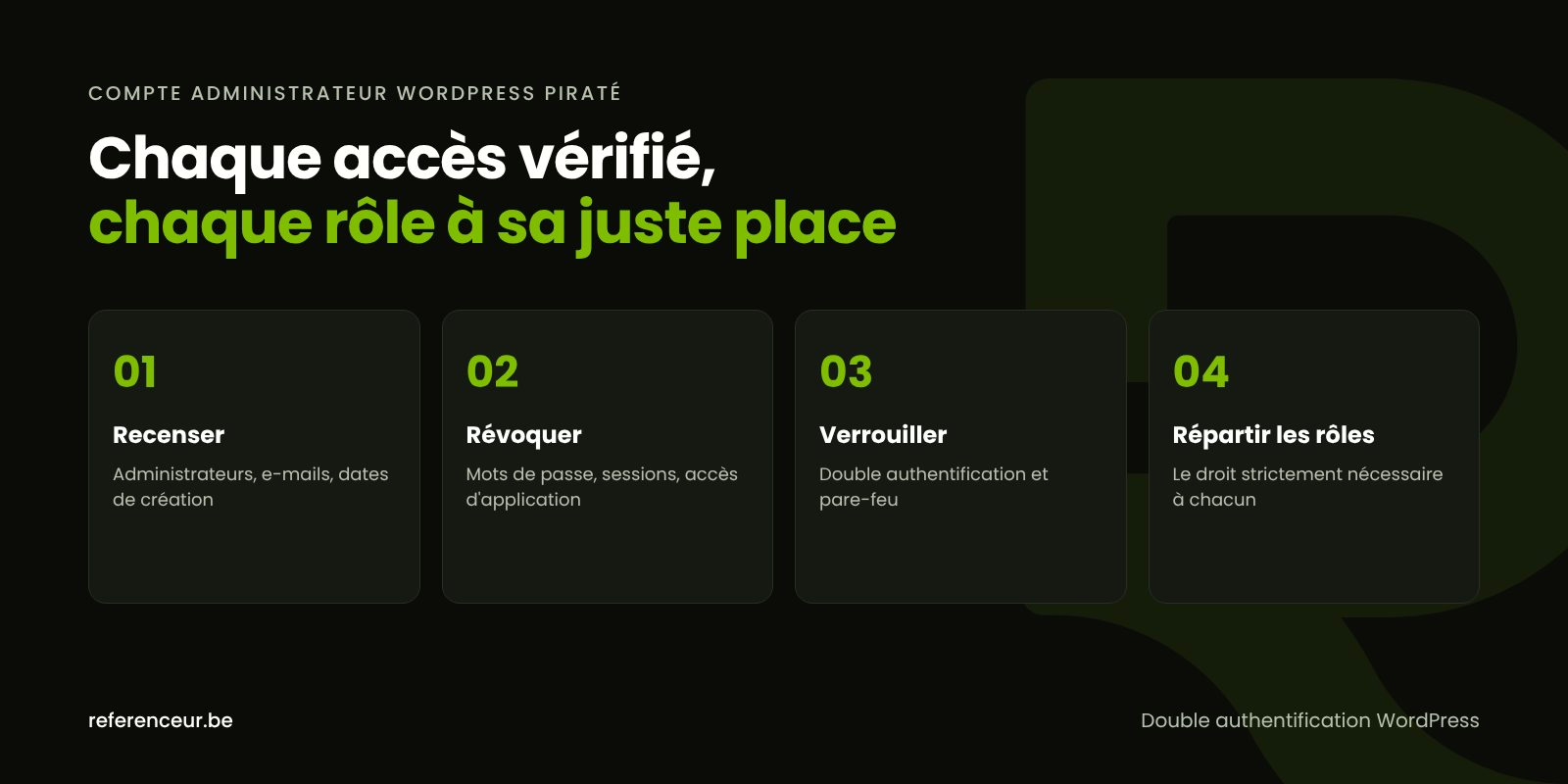
- List every administrator with their email address and creation date, then isolate the illegitimate accounts.
- Reset every admin password, not just the one for the targeted account.
- Kill active sessions and application passwords, then regenerate the security keys.
- Change technical credentials: hosting, SFTP, database, and the email account tied to the site.
- Delete the intruders, reassigning their content, then track down the original vulnerability.
With SSH access, WP-CLI handles these steps in a few documented commands. The last one regenerates the security keys in wp-config.php: everyone is logged out and has to log back in.
wp user list --role=administrator --fields=ID,user_login,user_email,user_registered
wp user reset-password $(wp user list --format=ids --role=administrator)
wp user list --field=ID | xargs -n 1 wp user session destroy --all
wp user application-password delete 123 --all
wp config shuffle-salts
Replace 123 with the ID of each affected account. Application passwords, introduced in WordPress 5.6, let an external service log in without the main password, and an attacker can create one to keep a low-profile foothold.
Finally, check the files: a rogue account often comes with a backdoor that can recreate the administrator after you delete it. If it reappears, follow our WordPress malware removal guide before doing anything else.
Brute Force, xmlrpc.php, and Recycled Passwords
Brute-force attacks try thousands of combinations against wp-login.php and xmlrpc.php. The official WordPress documentation on brute-force attacks points out that xmlrpc.php is a frequent target, especially through the system.multicall method, which packs multiple attempts into a single request.
If no app or integration uses it, disable xmlrpc.php; otherwise, filter it at the firewall with strict rate limiting. Rate limiting works better at the server or web application firewall level than inside WordPress, which uses resources on every attempt.
Moving the login page cuts down on noise, but it isn’t a defense on its own. Also ban the “admin” username and reused passwords: authentication failures are one of the 10 risk categories in the OWASP Top 10 (2025 edition).
WordPress Two-Factor Authentication and the Right User Roles
WordPress core doesn’t include two-factor authentication: you add it through a reputable plugin or your identity provider. The official documentation recommends enabling it for administrators and privileged users, using an authenticator app or a hardware security key.
WordPress two-factor authentication neutralizes most stolen passwords, but it doesn’t protect you from a plugin vulnerability. That’s why it goes hand in hand with updates and the principle of least privilege: everyone gets only the role they strictly need. Here’s a typical setup:
| Person | WordPress Role | Safeguard |
|---|---|---|
| Owner or site manager | Administrator, named account | Two administrators at most, two-factor authentication required |
| Web agency on a project | Temporary administrator | Account in the contractor’s name, deleted when the project ends |
| Marketing coordinator | Editor | Manages all content without touching plugins |
| Freelance translator for the Spanish version | Author | Publishes their own content, nothing else |
| Nonprofit volunteer or intern | Contributor | Can’t publish anything without approval |
| WooCommerce store manager | Shop Manager | Orders and products, not site settings |
Our WordPress security hardening guide also covers the DISALLOW_FILE_EDIT constant, which keeps a compromised administrator from editing code from the dashboard.
Forgotten Access: Former Agencies, Interns, and Shared Accounts
The agency that launched the site years ago, a one-off freelancer, an intern who moved on: former contractors’ access often outlives their assignment. Extend your inventory beyond WordPress: hosting, SFTP accounts, SSH keys, database users, your domain’s DNS settings, and Search Console owners.
Your Google Analytics and Search Console accounts deserve the same attention, since they’re often still registered to a former vendor; our web analytics team can help you regain ownership. Never use a shared login like “webmaster”: require named accounts, deleted at the end of every engagement.
Exposed Data: Notification and Reporting in the U.S.
An attacker with admin rights can hijack your site’s email: if your customers are receiving strange messages, read our guide on WordPress sending spam. Only restore a backup you’ve verified is clean, then apply updates immediately.
If customer or member data may have been accessed, state data breach notification laws may require you to notify affected individuals and, in some states, the attorney general or other regulators. Requirements and deadlines vary by state. The FTC’s Data Breach Response guide for businesses is a good place to start, and our guide on what to do after a WordPress data breach walks through each step.
You can also report the incident to CISA (the Cybersecurity and Infrastructure Security Agency), file a complaint with the FBI’s Internet Crime Complaint Center (IC3) if fraud or extortion is involved, and contact local law enforcement. For any legal question, talk to a qualified attorney.
Getting Back In, Over a Video Call
Recovering a hacked WordPress admin account is well suited to remote work: over a shared screen, you type the new passwords yourself while we walk you through every step. No credentials ever travel by email.
After a kickoff session, we map out every access point together, and a recorded training session then shows your team how to turn on two-factor authentication and manage roles. Référenceur is a European agency (Belgium and Luxembourg) that works with U.S. businesses remotely; after that, a monthly check-in is enough to keep your account list clean.
You’ll find the big picture in our WordPress security guide and the full service on our hacked WordPress site repair page.
Hacked WordPress Admin Account: Your Questions Answered
I Can’t Log In Anymore. Where Do I Start?
Try the “Lost your password?” link; if your email address has been replaced, it won’t do anything. Your hosting provider can then give you SSH or database access so you can reset the password, with WP-CLI for example. Once you’re back in, treat the hacked WordPress admin account as a sign of a broader intrusion.
Is Deleting the Unknown Administrator Enough?
No. Deleting it doesn’t close the vulnerability that allowed it to be created or the backdoors that can recreate it. Preserve the evidence first, change every password, kill sessions and application passwords, then scan the files. When you delete it, reassign its content to a trusted user so you can review it afterward.
Does WordPress Two-Factor Authentication Slow Down Daily Work?
Barely. After your password, you just enter a code from an authenticator app or tap a hardware key, and many solutions remember a trusted device. Keep backup codes somewhere safe: WordPress two-factor authentication shouldn’t lock you out of your own site.
Should I Shut Off xmlrpc.php Completely?
If no service uses it, yes: it’s a frequent target for brute-force attacks. Some mobile apps and integrations still rely on it; in that case, the WordPress documentation recommends filtering it at the firewall and strictly rate-limiting requests. Always test the block on a staging copy before production.
How Many Administrators Should a Small Business or Nonprofit Have?
As few as possible: one or two named accounts for the organization, plus a temporary account for any contractor on a project. Everyone else, staff and volunteers alike, works with the Editor, Author, Contributor, or Shop Manager roles. Every additional admin account is one more target to protect.
Does Our Former Agency Still Have Access?
Probably, if nobody removed it. Delete their WordPress accounts while reassigning their content, change the hosting, SFTP, and database passwords they knew, then check Search Console, DNS, and email. A forgotten login can be stolen from your former vendor and lead to a hacked WordPress admin account all over again.
Not sure your site is clean? Run a free security scan of your WordPress site:
Has an unknown administrator shown up on your site? Book a short video call: we’ll review your access with you, prioritize the next steps, and leave you with a written plan to lock down your WordPress site.