 0498 70 98 60
ADA Website Compliance: A Practical WCAG Guide for U.S. Businesses
Updated October 31, 2026. This guide explains the landscape in general terms. It isn’t legal advice; for your specific obligations, consult an attorney.
Website accessibility is one of the most practical legal and business issues a U.S. website owner faces. Thousands of lawsuits are filed every year over sites that people with disabilities can’t use, and new federal rules now set explicit technical standards for public entities and many healthcare organizations. At the same time, an accessible website simply works better for everyone: clearer navigation, readable text, forms that don’t fight the user.
This guide covers where ADA website compliance stands in 2026, what WCAG requires, which deadlines apply to whom, and a checklist you can start using today.
What the ADA Says About Websites
The Americans with Disabilities Act was passed in 1990, before most businesses had websites, so the statute doesn’t mention them. Two parts of the law matter here:
- Title III covers businesses open to the public, called “public accommodations”: retailers, restaurants, hotels, healthcare providers, professional offices, and many others. The Department of Justice (DOJ) has taken the position for years that Title III applies to the websites of these businesses. Its March 2022 guidance on web accessibility says businesses must make their websites accessible, while leaving flexibility in how they do it. DOJ hasn’t adopted a technical standard for Title III websites, but courts and settlements commonly reference WCAG.
- Title II covers state and local governments, including public schools, universities, courts, and transit agencies. Here, DOJ issued a specific rule in April 2024 that requires web content and mobile apps to conform to WCAG 2.1 Level AA.
Courts haven’t always agreed on Title III’s reach, especially for businesses that operate only online. Some federal courts, including in California, have held that a website must be connected to a physical location to be covered. Other courts have read the law more broadly. That split is one reason lawsuits concentrate in certain states.
The ADA Title II Web Rule and Its New Deadlines
The ADA Title II web rule originally required compliance by April 24, 2026, for larger public entities. On April 20, 2026, DOJ published an interim final rule extending the deadlines by one year:
| Covered entity | Original deadline | Current deadline |
|---|---|---|
| — | — | — |
| State and local governments serving 50,000 people or more | April 24, 2026 | April 26, 2027 |
| Entities serving fewer than 50,000 people, and special districts | April 26, 2027 | April 26, 2028 |
The standard didn’t change: WCAG 2.1 Level AA.
If you’re a private business, Title II doesn’t apply to you directly. But if you build websites or provide software to public entities, your clients will expect WCAG 2.1 AA conformance in contracts.
Healthcare organizations have a parallel rule. HHS’s Section 504 rule requires recipients of HHS federal financial assistance to make websites and mobile apps conform to WCAG 2.1 AA. An interim final rule published May 11, 2026, moved the deadlines to May 11, 2027, for recipients with 15 or more employees and May 10, 2028, for smaller recipients. Whether your organization is covered is a question for counsel.
Lawsuit Trends: Why Private Businesses Pay Attention
Even without a Title III technical rule, private businesses face real litigation risk. According to the law firm Seyfarth Shaw, plaintiffs filed 3,117 website accessibility lawsuits in federal court in 2025, up 27% from 2,452 in 2024. New York led with 1,021 cases, followed by Florida with 961, then Illinois with 585. Those figures don’t include state court lawsuits or demand letters, which are also common.
Ecommerce, restaurants, retail, hospitality, and healthcare are frequent targets, but any business with a public-facing website can receive a demand letter. Fixing a site proactively is almost always less expensive and less disruptive than fixing it under legal pressure.
WCAG Explained: 2.1 AA vs. 2.2
The Web Content Accessibility Guidelines (WCAG), published by the W3C, are the technical standard behind nearly every accessibility requirement. They’re organized around four principles, often abbreviated POUR:
- Perceivable: users can perceive the content (text alternatives for images, captions for video, sufficient color contrast).
- Operable: users can operate the interface (full keyboard access, no traps, enough time, no content that causes seizures).
- Understandable: content and navigation are clear (readable text, predictable behavior, helpful error messages).
- Robust: content works with assistive technologies such as screen readers.
Each guideline has success criteria at three levels: A, AA, and AAA. WCAG 2.1 AA is the level referenced by the Title II and HHS rules and by most settlements. WCAG 2.2, which became a W3C Recommendation on October 5, 2023, adds criteria such as visible focus not being obscured, minimum target sizes for buttons and links, and accessible authentication. Building to WCAG 2.2 AA covers 2.1 AA as well, so it’s a sensible target for new projects.
For companies with European operations, note that the European Accessibility Act has applied to many products and services in the EU since June 28, 2025. A site built to WCAG 2.2 AA puts you in a strong position on both sides of the Atlantic.
Website Accessibility Checklist
This checklist covers the issues we find most often. It isn’t a substitute for a full WCAG audit, but it fixes a large share of real-world barriers.
Structure and navigation
- One H1 per page and a logical heading hierarchy (H2, H3) that reflects the content.
- Navigation menus and dropdowns usable with a keyboard alone (Tab, Shift+Tab, Enter, Escape).
- A visible focus indicator on every interactive element.
- A “skip to main content” link on pages with long navigation.
- Page titles that describe each page uniquely.
- The language of the page declared in the HTML.
Text and color
- Color contrast of at least 4.5:1 for normal text and 3:1 for large text.
- Information never conveyed by color alone (for example, required form fields).
- Text that can be resized to 200% without breaking the layout.
Images and media
- Meaningful alt text for informative images; empty alt attributes for decorative ones.
- Captions for videos with speech; transcripts for audio content.
- No auto-playing media with sound, or an easy way to pause it.
Forms
- Every field has a visible, programmatically associated label.
- Error messages that explain what went wrong and how to fix it.
- CAPTCHA alternatives that don’t block users with disabilities.
Documents and third-party tools
- PDFs that are tagged and readable by screen readers, or HTML alternatives.
- Chat widgets, booking tools, and payment forms tested for keyboard and screen reader use. If a vendor’s tool isn’t accessible, it’s still your website’s problem.
A Warning About Overlays and “One-Line” Fixes
Accessibility overlays (scripts that promise to make a site compliant automatically) are heavily marketed. Many accessibility experts and disability advocates criticize them, and they don’t reliably fix underlying code issues. In April 2025, the Federal Trade Commission finalized an order against overlay vendor accessiBe over claims that its AI tool could make any website WCAG compliant. Websites using overlays have still been sued. Real accessibility comes from accessible templates, content, and testing.
How to Approach ADA Website Compliance in Practice
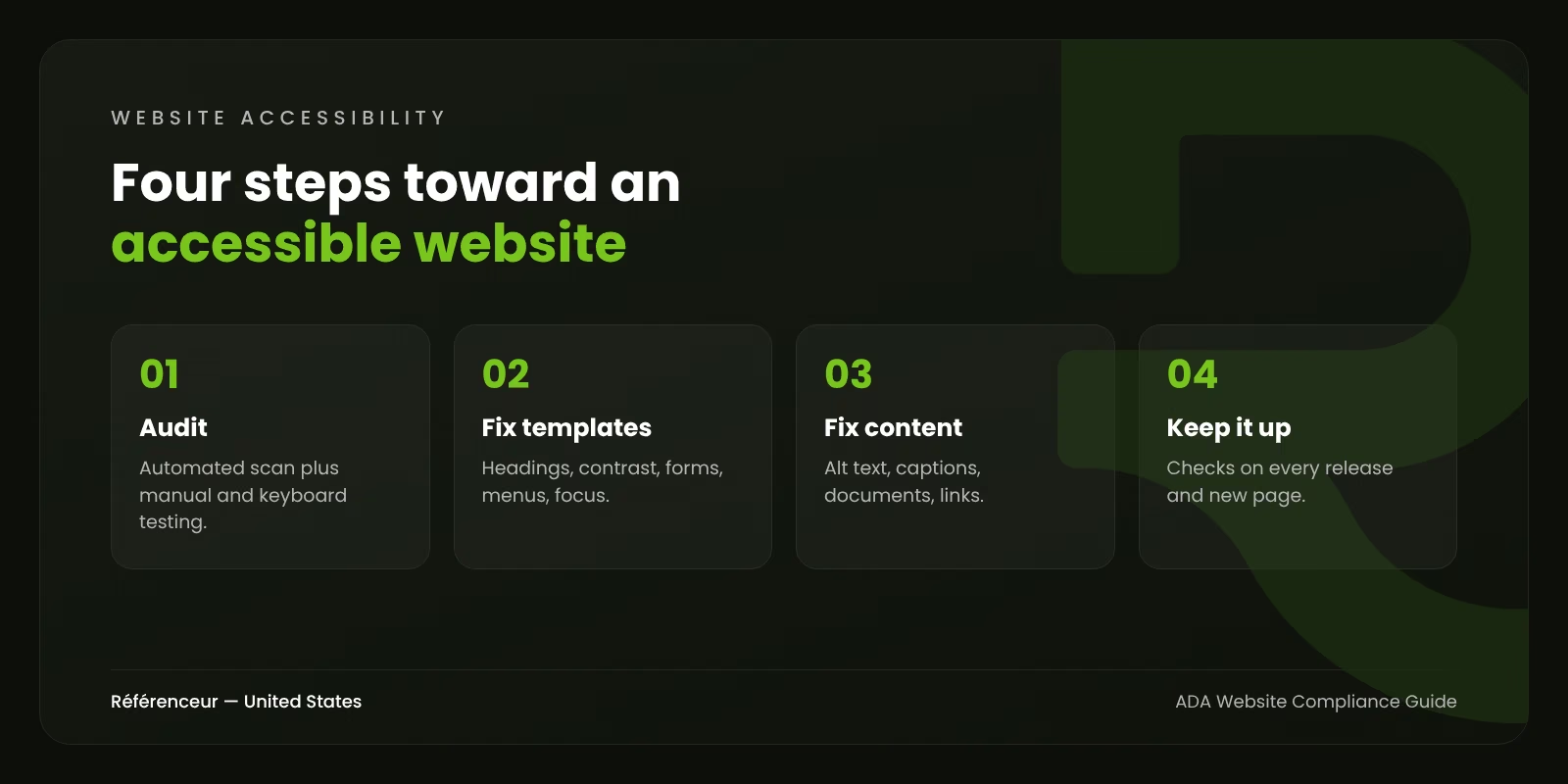
- Audit. Combine automated scanning tools, which catch many of the easier issues, with manual testing: keyboard-only navigation, screen reader checks, and zoom tests.
- Fix templates first. Headers, footers, menus, forms, and page templates affect every page. Fixing them once improves the whole site.
- Fix content. Alt text, headings, link text, captions, and documents.
- Publish an accessibility statement describing your efforts and how users can report problems. Have counsel review its wording.
- Build accessibility into your process. Test new pages and features before release, train content editors, and include accessibility requirements when you hire developers or buy software.
Accessibility also overlaps with performance and SEO: clear headings, descriptive links, and fast pages help all users and search engines. Our article on performance-driven web design covers that connection.
Need Help Making Your Website Accessible?
Our web design agency team builds and remediates websites with WCAG 2.2 AA as the target, working alongside your legal counsel rather than replacing it. If your site also needs a broader technical review, our SEO agency team can audit both at once. Our team works from Belgium and Luxembourg with U.S. businesses, entirely remotely. Request a free assessment to get a first view of your site’s accessibility issues.
Frequently Asked Questions About ADA Website Compliance
Is ADA Website Compliance Legally Required for Private Businesses?
DOJ’s position is that Title III requires businesses open to the public to have accessible websites, and many courts agree, though they differ on online-only businesses. There’s no Title III technical regulation yet, but WCAG 2.1 AA is the standard most often used. Ask your attorney how this applies to your business.
What Is the Difference Between WCAG 2.1 AA and WCAG 2.2 AA?
WCAG 2.2 builds on 2.1 and adds new success criteria, such as minimum target size for clickable elements and requirements for visible focus and accessible authentication. Meeting WCAG 2.2 AA also meets 2.1 AA.
Do Accessibility Overlays Make a Website ADA Compliant?
They don’t reliably fix the underlying code issues, and businesses using them have still been sued. In 2025, the FTC finalized an order against overlay vendor accessiBe over misleading compliance claims.
When Do Public Entities Have to Comply With the Title II Web Rule?
Under the interim final rule published April 20, 2026, entities serving 50,000 or more people have until April 26, 2027, and smaller entities and special districts until April 26, 2028.
Can an Automated Tool Tell Me If My Site Is Accessible?
Automated tools catch many common issues, but not all of them. Problems like confusing focus order, poor alt text, or inaccessible custom widgets require manual testing, ideally including screen reader users.
Does Accessibility Help SEO?
Many accessibility practices, such as descriptive headings, alt text, clear link text, and transcripts, also help search engines understand your content. Accessibility isn’t a direct ranking factor, but the overlap is significant.