 0498 70 98 60
WordPress Site Sending Spam? How to Stop It and Restore Reliable Email

Your quotes aren’t reaching customers, dozens of bounce messages are piling up in your inbox, and your hosting company just emailed you about unusual outbound mail volume. All signs point to one thing: your WordPress site is sending spam, and you never told it to. This is more than a nuisance. Your sender reputation and the trust of everyone you email are on the line.
Référenceur is a European digital marketing agency, with offices in Belgium and Luxembourg, that works remotely with small businesses, professional firms, and nonprofits to trace where these messages come from, clean up a hacked WordPress site, and get their domain’s email accepted by receiving servers again.
Check your WordPress site’s security: run a free initial scan right now with the tool below.
This page complements our WordPress security guide. It separates what you can check on your own, what your hosting provider needs to handle, and the knee-jerk reactions that actually drag the incident out. You can also run a free security scan on this page for a quick first look.
Warning Signs Your Site Is Sending Suspicious Email
The alert rarely comes from WordPress itself. More often, a contact forwards you a sketchy message sent from your domain, or your own emails start landing in junk folders. Read your bounce messages (non-delivery reports) carefully: they often name the blocklist responsible.
- A rejection that mentions a blocklist, such as Microsoft’s 550 5.7.606-649 “banned sending IP” error.
- A notice from your host about an exceeded sending limit or a suspended email service on your account.
- Hundreds of bounces addressed to recipients you’ve never heard of.
- Waves of bogus registrations or form submissions stuffed with links, sometimes in every language version of your site.
Three Possible Causes, Three Different Fixes
Scenario one: a malicious PHP file has been planted on the server, often in the media uploads folder, inside a fake plugin, or in an abandoned theme. The script calls PHP’s mail() function directly, bypassing your forms entirely.
Scenario two: a legitimate form that’s being abused. A contact form that sends a copy to the visitor, open user registration, or the “Lost your password?” page can all be turned into relays by bots. Multilingual sites are especially exposed, because each version (English and Spanish, for example) often has its own form to protect.
Scenario three, not to be confused with the others: a compromised mailbox whose password has leaked. The website has nothing to do with it, and your email provider is the one that needs to step in.
Stop, Preserve, Clean: The Response Sequence
Requesting blocklist removal while the source is still active is pointless: the IP address or domain will be listed again within hours. The order of operations matters.
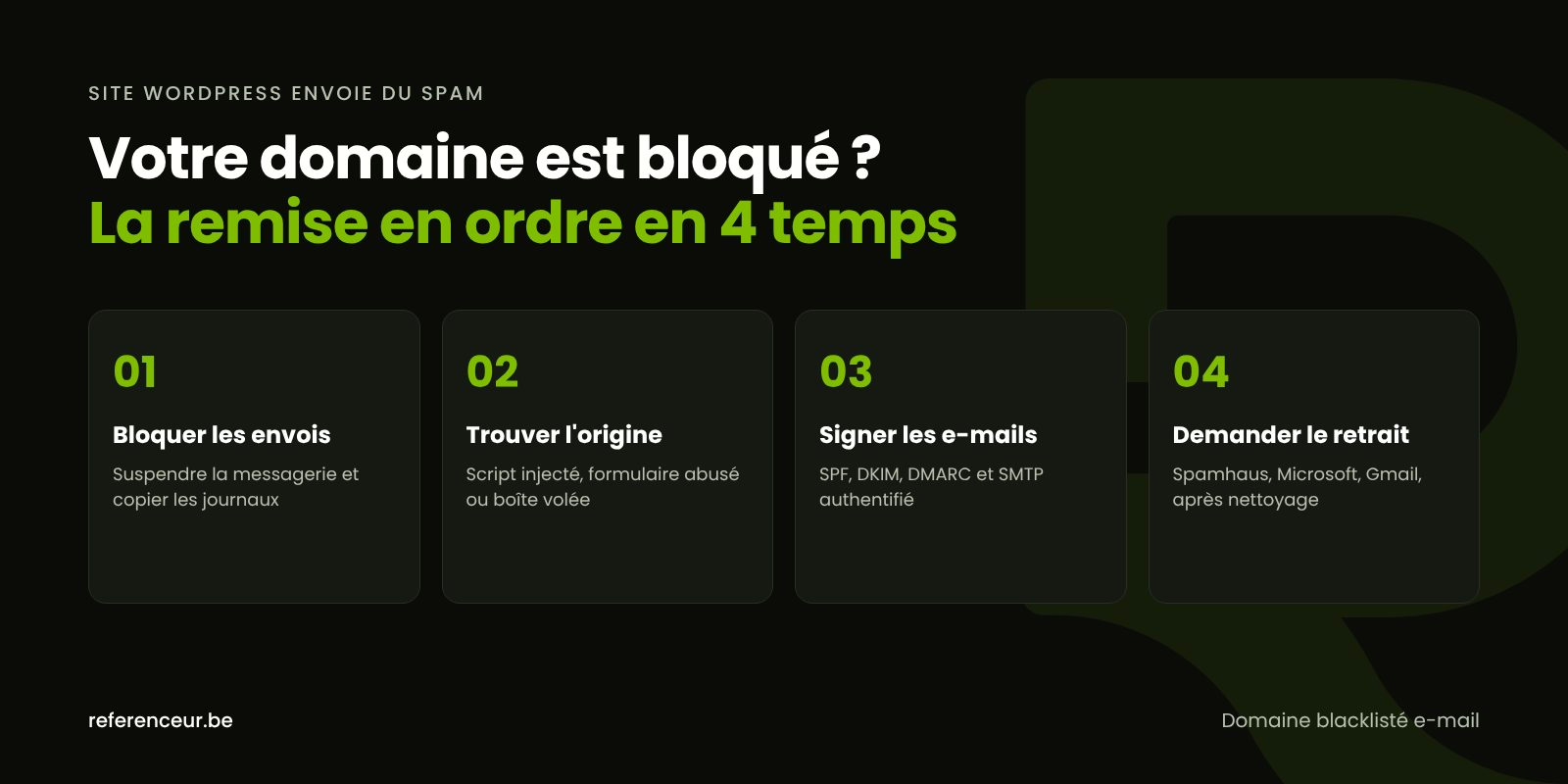
- Stop the sending: ask your host to suspend email on the account, or put up a maintenance page.
- Preserve the evidence: copy the site, the database, and the access, error, and mail logs before deleting anything.
- Find the sending script: the
X-PHP-Originating-Scriptheader or PHP’smail.log, both of which your host can enable, identify the script callingmail(). - Verify the integrity of WordPress core and your plugins, then hunt for stray PHP files in the uploads folder.
- Reset all credentials: admin accounts, SFTP, database, mailboxes, and the security keys in
wp-config.php. - Get rid of “nulled” plugins or themes and replace them with the official versions.
wp core verify-checksums
wp plugin verify-checksums --all
find wp-content/uploads -name "*.php"
wp cron event list
The last command lists your scheduled tasks: an unfamiliar event can restart the spam run every hour. The plugin check only covers plugins from the WordPress.org directory; a commercial plugin needs to be compared against the vendor’s own download. From there, see how to remove WordPress malware and how to take back a hacked administrator account.
Authenticate Your Domain With SPF, DKIM, and DMARC
These DNS records won’t stop a script running on your own server. What they do is prevent third parties from spoofing your domain and reassure your customers’ mail providers. SPF declares which servers are allowed to send for you, DKIM signs every message, and DMARC tells receivers what to do with messages that fail those checks.
Google’s email sender guidelines require SPF or DKIM from every sender, and all three from anyone sending more than 5,000 messages a day to Gmail accounts. Google also asks senders to keep the spam rate reported in Postmaster Tools below 0.3%. Since May 2025, Microsoft has applied similar requirements to high-volume senders delivering to Outlook.com, Hotmail, and Live addresses.
Start DMARC in monitoring mode (p=none) with a reporting address. Once you’ve identified every legitimate source (website, business email, newsletter platform, invoicing software), tighten the policy to quarantine, then reject.
Send Through Authenticated SMTP and Lock Down Your Forms
The wp_mail() function relies on the PHPMailer library, which by default uses PHP’s mail() function: the message leaves straight from the web server, with no strong authentication.
Switch to authenticated SMTP (your business email provider or a reputable transactional email service), using a dedicated address and an encrypted connection. An SMTP plugin or the phpmailer_init hook documented on developer.wordpress.org handles the setup. Then ask your host whether it can restrict mail() on your account.
For your forms: add a honeypot field or a bot challenge to every language version, remove the automatic copy to the visitor, cap the number of submissions, and turn off open registration under Settings > General if you don’t need it.
Domain Blocklisted for Email? Request Removal From the Right Party
Only after the cleanup and the credential resets should you tackle the blocklisted domain or listed IP address. Every blocklist has its own process, and the bounce message tells you which one to check.
| Where the block is | Message or symptom | What to do |
|---|---|---|
| Spamhaus | Rejection citing a Spamhaus list for the IP or domain | Check and request removal at check.spamhaus.org; an SBL listing goes through your host |
| Microsoft, banned IP | 550 5.7.606-649 “banned sending IP” | Use the delisting portal at sender.office.com, one IP per request |
| Microsoft, banned sender | 550 5.7.511 “banned sender” | Forward the full bounce and the IP to [email protected] |
| Gmail | Messages rejected or sent to spam | Monitor reputation in Postmaster Tools and follow the sender guidelines |
| Shared hosting server | Email suspended for the entire account | Send proof of the cleanup and ask for the block to be lifted |
Submit one request per blocklist, and only once the source is gone: repeated requests while the spam continues will delay removal.
Exposed Data: State Breach Laws, the FTC, and Law Enforcement
If the incident exposed customer data, such as form submissions stored in your database, you may have notification obligations. All 50 states, plus D.C., Puerto Rico, Guam, and the U.S. Virgin Islands, have data breach notification laws. What counts as personal information, who must be notified, and how quickly vary from state to state, and what usually matters is where the affected people live, not where your business is based. The FTC’s Data Breach Response: A Guide for Business is a practical starting point. None of this is legal advice: talk to a privacy attorney about your specific situation.
You can also report the incident to the FBI’s Internet Crime Complaint Center (IC3) at ic3.gov, and CISA accepts voluntary incident reports. If your customers receive fraudulent messages in your name, they can forward them to [email protected], the Anti-Phishing Working Group, and report them to the FTC at ReportFraud.ftc.gov.
Diagnose Your Email Problem Over a Video Call
Référenceur works with U.S. businesses remotely, and that’s no drawback: everything happens over video calls, so there’s no waiting for an on-site appointment. A kickoff session lets us pick apart your bounce messages together.
With screen sharing, we review logs, DNS records, and sending settings, all in English. You keep a recorded training session on securing your forms, and a monthly check-in tracks your domain’s reputation.
The method is the same wherever your business is located. After that, WordPress hardening and consistent updates keep the problem from coming back.
WordPress Site Sending Spam: FAQ
Do I Need to Take the Whole Site Offline?
Not necessarily, but when a WordPress site is sending spam, the sending has to stop immediately. Ask your host to block email on the account or turn on a maintenance page. Make a copy of the site and the logs first: it serves as evidence and helps you track down the file or form behind the problem.
Is My Domain Blocklisted, or Just My IP Address?
The bounce message usually tells you: a banned IP affects every site on the same shared server, while a blocklisted domain follows you even if you switch hosts. Blocklist lookup tools such as check.spamhaus.org can test both. The removal process isn’t the same, which is why it’s important to pin down exactly what’s listed.
Is a DMARC Reject Policy Enough to Block the Spam?
No. DMARC protects your domain from spoofing by outside servers, but a script running on your own hosting can generate messages that pass the checks. You have to clean the site and reset credentials first. After that, DMARC is still very useful: its reports quickly show if suspicious sending starts up again.
What Should I Ask My Host After a Suspension?
Ask for the mail logs covering the period, the name of the script that called PHP’s mail function (if the dedicated header was enabled), and a list of recently modified files. Ask about the conditions for reactivation, too. If your domain is blocklisted, follow up with a written summary of the steps you’ve taken.
Can My Multilingual Form Be Abused Without a Hack?
Yes. A form that sends a copy to whatever address is entered lets bots email strangers without a single file being infected. On a site in English and Spanish, every version needs protection: a honeypot field or bot challenge, a submission cap, and no automatic copy to the sender. Still, check file integrity as a precaution.
Do I Have to Notify My Customers or a Regulator?
It depends on the data involved and on where the affected people live. If personal information may have been accessed or stolen, state breach notification laws may require you to notify those individuals and, in some states, the attorney general, within set deadlines. Document the incident either way. For your specific situation, consult a privacy attorney; the FTC’s breach response guide is a good place to start.
How Do I Keep My WordPress Site From Sending Spam Again?
Send through authenticated SMTP, protect every form, apply updates promptly, and delete plugins you don’t use. Keep backups off the server and read your DMARC reports. Ongoing maintenance spots an abnormal spike in outgoing mail before blocklists penalize your domain.
Not sure your site is clean? Run a free security scan of your WordPress site:
Is your email being rejected by your customers’ mail servers? Schedule a free video call: we’ll go through your bounce messages, your sending setup, and the state of your WordPress site with you, then lay out the order of cleanup and security steps.